Signed Messages
Their messages are secret, unless you find the key.

Enumeration
The challenge start with a simple web page on port 5000.
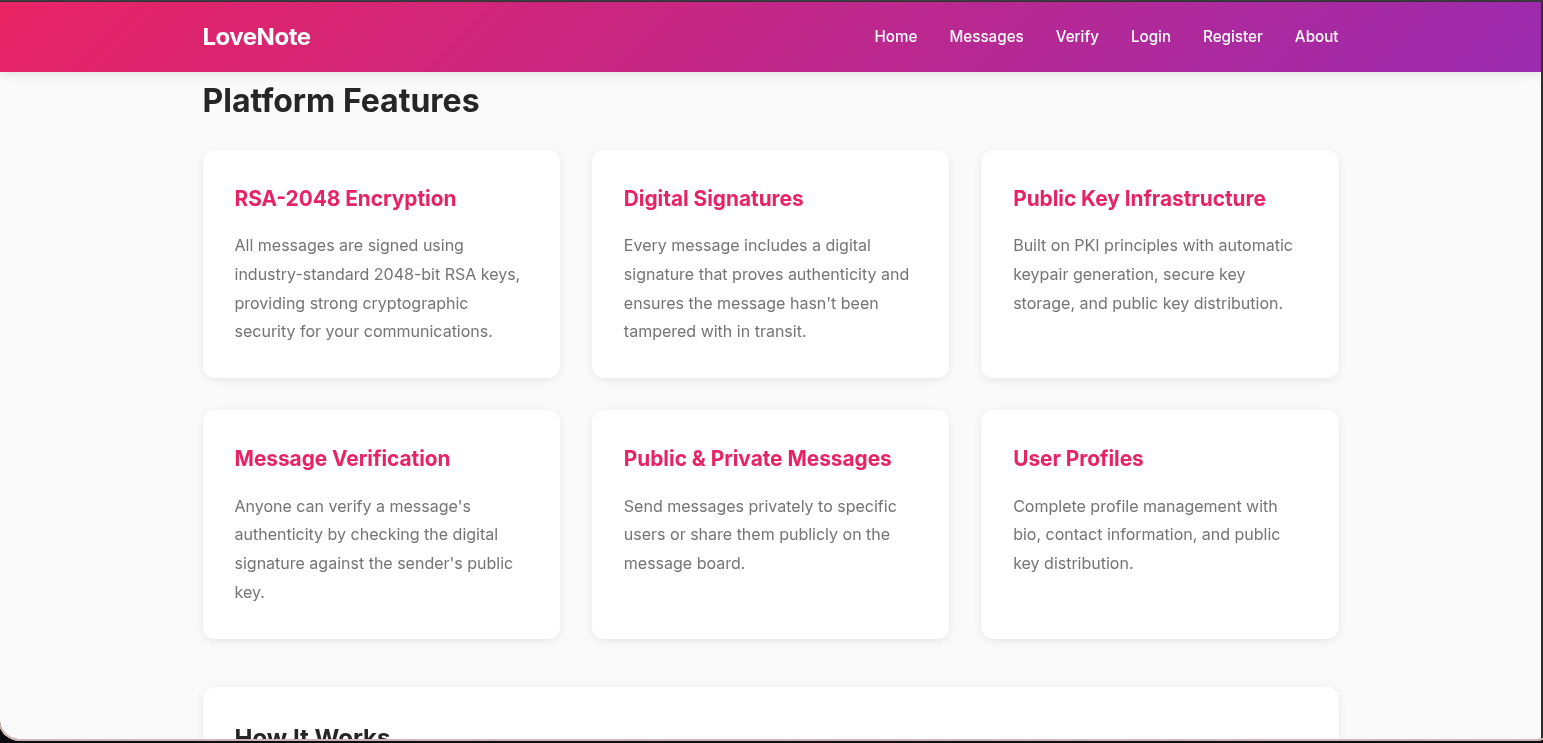
From about section I understand that web page provides a secure messaging service that relies on encryption and digital signatures to ensure that your messages are confidential, authentic, and safe from tampering by hashing each user message with SHA-256, then signing this hash using the sender’s RSA-2048 private key with PSS padding. The signature can later be verified using the sender’s public key, proving that the message is untampered and truly from the claimed sender
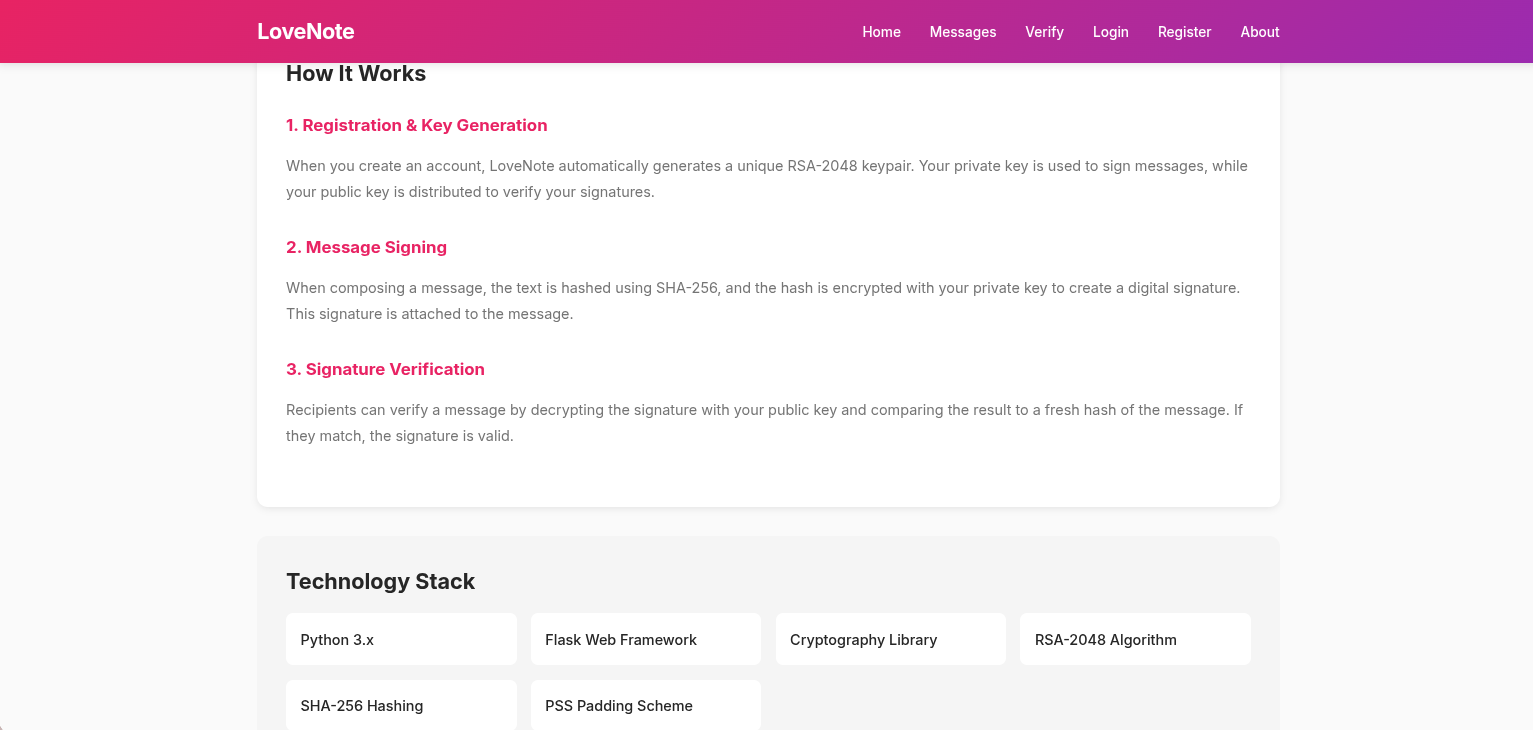
When register we see a small description about how it works.
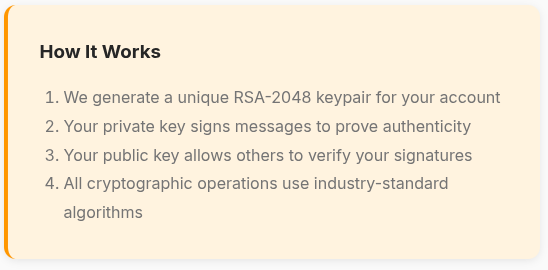
Let’s register and discover more about this service.
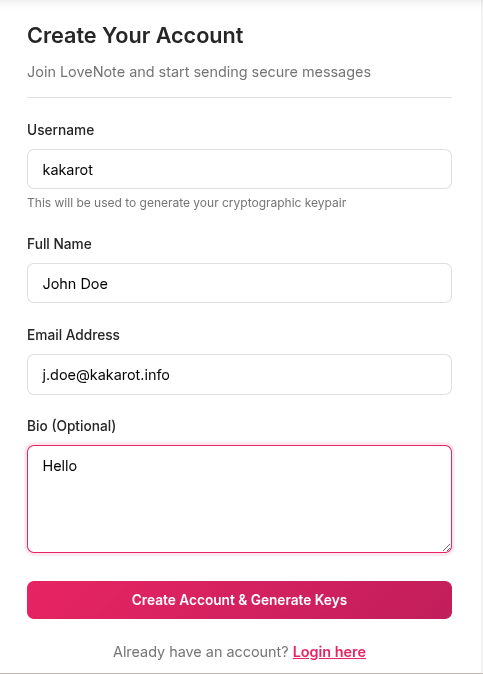
After registration, we receive our keys.
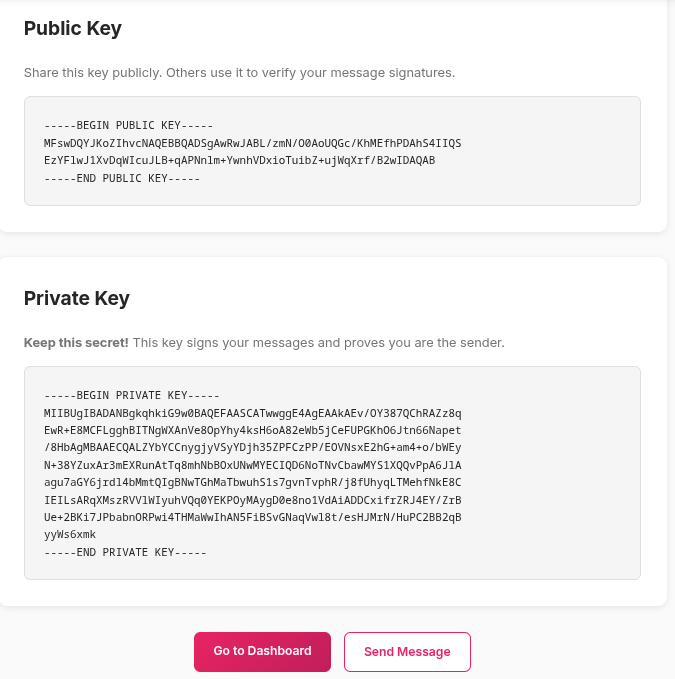
Upon looking at the keys, we can see that the service does not actually use RSA-2048.
We can check the key size using openssl.
Indeed, the key length is only 507 bit, not 2048 bit.
1
2
3
4
$ openssl rsa -in private.pem -text -noout

Private-Key: (507 bit, 2 primes)
[SNIP]
A 507 bit RSA key is considered cryptographically insecure by modern standards and is vulnerable to brute-force and other cryptanalytic attacks.
Let’s continue our discovering.
In the messages section we can see a default message from administration.
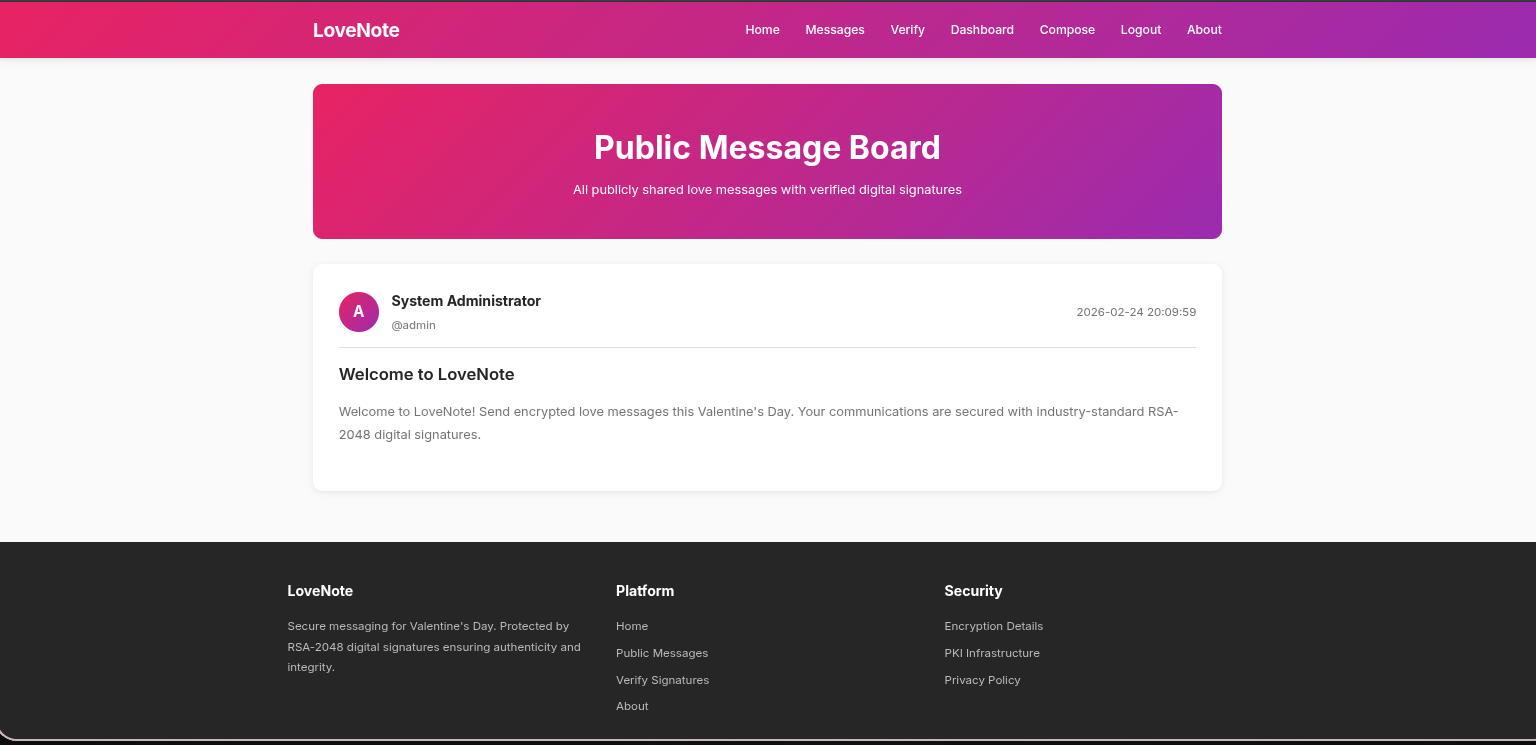
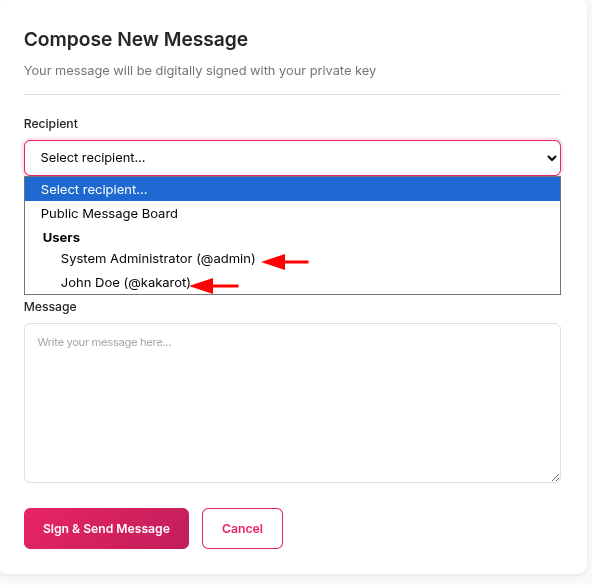
Also, from the compose section, we can send messages to other users. In the recipient category, only two users are listed: kakarot (myself) and admin.
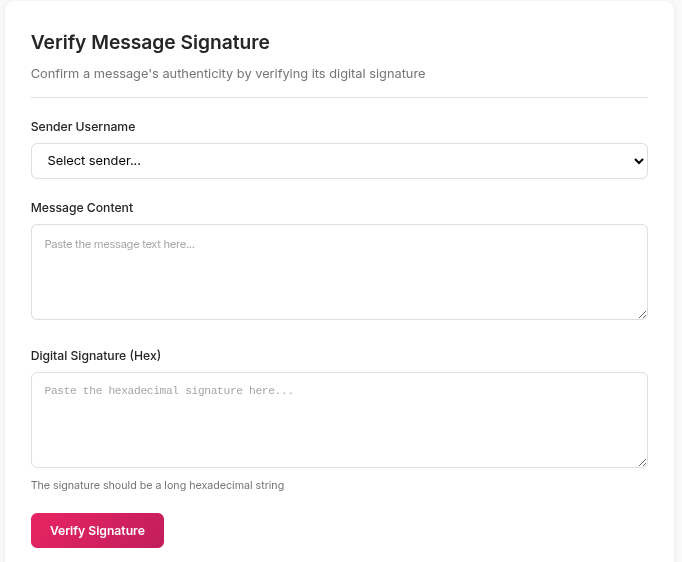
Finally, the verify section allows users to check messages using digital signatures.
Login as admin
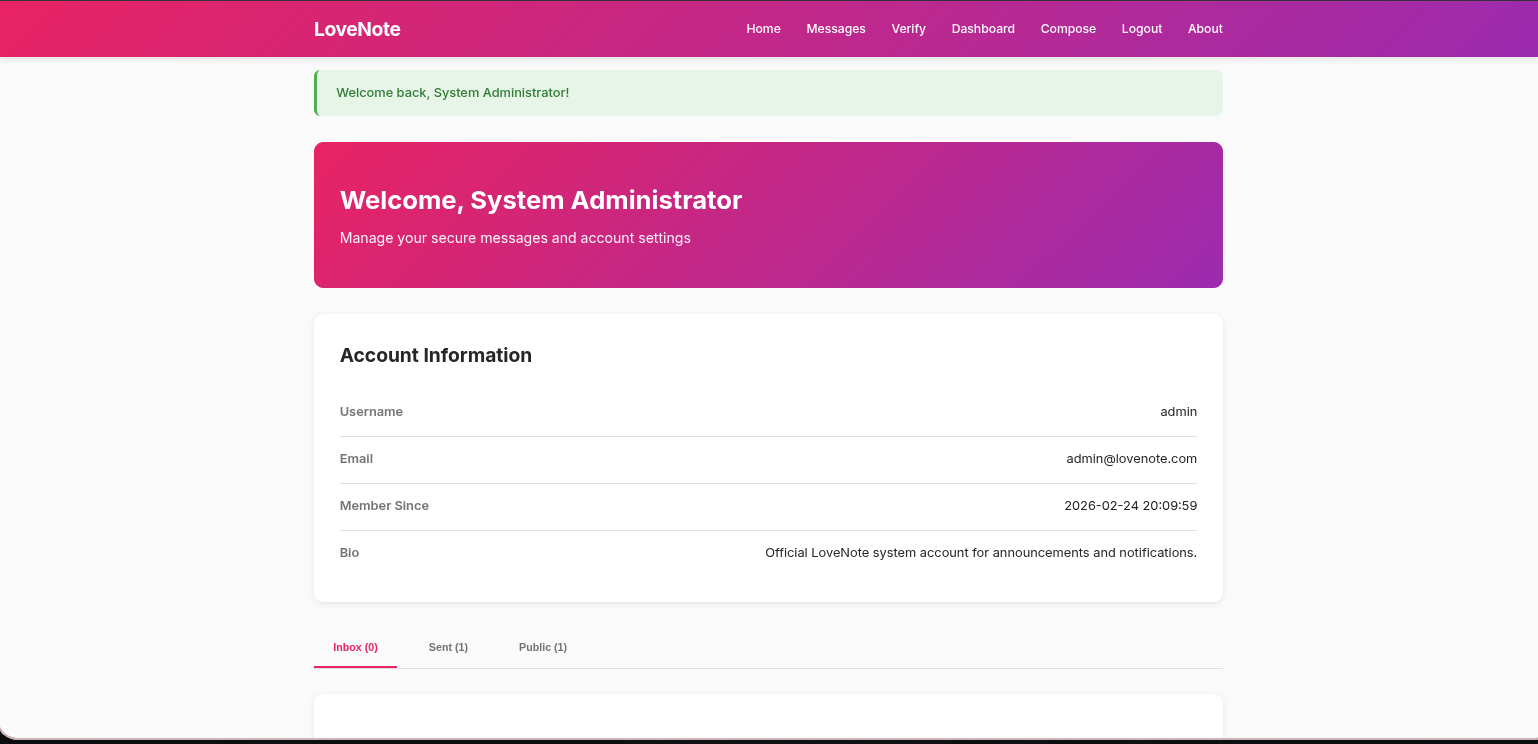
When logging in, we only need our username. From the recipient category, we already know the system administrator’s username, which is admin.
We were able to log in as the system administrator, but the keys are displayed only upon login and are not stored in the account.
So far, we have discovred all sections of the site and gained a basic understanding of how the service operates. We also identified that it uses a 507-bit RSA key, which is cryptographically weak. We will now proceed with directory fuzzing.
Using ffuf, we identified a debug endpoint in the application.
1
2
3
4
5
6
7
8
9
10
11
12
13
14
15
16
17
18
19
20
21
22
23
24
25
26
27
28
29
30
31
32
$ ffuf -u 'http://10.80.131.193:5000/FUZZ' -w /usr/share/wordlists/dirb/common.txt

        /'___\  /'___\           /'___\
       /\ \__/ /\ \__/  __  __  /\ \__/
       \ \ ,__\\ \ ,__\/\ \/\ \ \ \ ,__\
        \ \ \_/ \ \ \_/\ \ \_\ \ \ \ \_/
         \ \_\   \ \_\  \ \____/  \ \_\
          \/_/    \/_/   \/___/    \/_/

       v2.1.0-dev
________________________________________________

 :: Method           : GET
 :: URL              : http://10.80.131.193:5000/FUZZ
 :: Wordlist         : FUZZ: /usr/share/wordlists/dirb/common.txt
 :: Follow redirects : false
 :: Calibration      : false
 :: Timeout          : 10
 :: Threads          : 40
 :: Matcher          : Response status: 200-299,301,302,307,401,403,405,500
________________________________________________

                        [Status: 200, Size: 16634, Words: 5836, Lines: 618, Duration: 205ms]
about                   [Status: 200, Size: 15206, Words: 5413, Lines: 544, Duration: 157ms]
compose                 [Status: 302, Size: 218, Words: 21, Lines: 4, Duration: 135ms]
dashboard               [Status: 302, Size: 218, Words: 21, Lines: 4, Duration: 179ms]
debug                   [Status: 200, Size: 11342, Words: 4053, Lines: 408, Duration: 372ms]
login                   [Status: 200, Size: 10999, Words: 4214, Lines: 402, Duration: 172ms]
logout                  [Status: 302, Size: 208, Words: 21, Lines: 4, Duration: 167ms]
messages                [Status: 200, Size: 12929, Words: 4872, Lines: 505, Duration: 135ms]
register                [Status: 200, Size: 12509, Words: 4825, Lines: 435, Duration: 225ms]
:: Progress: [4614/4614] :: Job [1/1] :: 73 req/sec :: Duration: [0:01:13] :: Errors: 0 ::
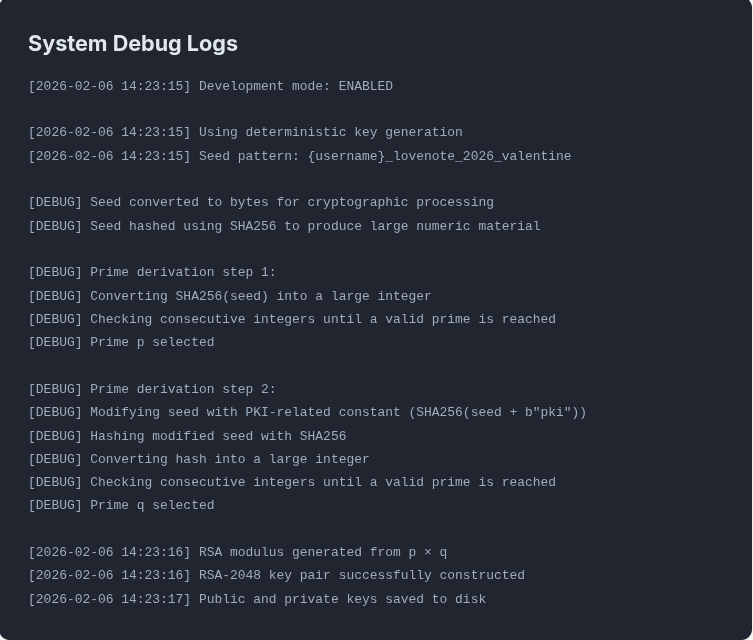
The debug page displays logs related to the key generation process, representing a critical vulnerability in the service. The information contained in these logs allows an attacker to regenerate keys for any user on the system.
Debug Logs Analysis
First of all, you need a knowledge about how RSA algorithm works.
Now let’s understand what’s huppend in logs step by step.
1
[2026-02-06 14:23:15] Using deterministic key generation
The first observation is that the key generation process relies on deterministic generation rather than true randomness, which means that the primes p and q are derived from a fixed seed.
1
[2026-02-06 14:23:15] Seed pattern: {username}_lovenote_2026_valentine
The seed pattern is exposed in the logs, revealing that it is constructed by combining the username with the fixed phrase _lovenote_2026_valentine. This allows an attacker to recreate any user’s key pair using only the username, without requiring any additional secret information.
Therefore, the seed pattern for my account would be kakarot_lovenote_2026_valentine.
1
2
[DEBUG] Seed converted to bytes for cryptographic processing
[DEBUG] Seed hashed using SHA256 to produce large numeric material
The seed is first converted into bytes, then hashed using SHA-256 to generate a large numeric value used in key generation.
1
2
3
4
[DEBUG] Prime derivation step 1:
[DEBUG] Converting SHA256(seed) into a large integer
[DEBUG] Checking consecutive integers until a valid prime is reached
[DEBUG] Prime p selected
The SHA-256 hash of the seed is converted into a large integer, then consecutive integers are tested until a valid prime is found, which is selected as p.
1
2
3
4
5
6
[DEBUG] Prime derivation step 2:
[DEBUG] Modifying seed with PKI-related constant (SHA256(seed + b"pki"))
[DEBUG] Hashing modified seed with SHA256
[DEBUG] Converting hash into a large integer
[DEBUG] Checking consecutive integers until a valid prime is reached
[DEBUG] Prime q selected
For q, the seed is modified by appending a PKI-related constant and hashed with SHA-256, the resulting hash is converted into a large integer, and consecutive integers are tested until a valid prime is found, this modification ensures that q is different from p.
1
2
3
[2026-02-06 14:23:16] RSA modulus generated from p × q
[2026-02-06 14:23:16] RSA-2048 key pair successfully constructed
[2026-02-06 14:23:17] Public and private keys saved to disk
Finally, the system computes the RSA modulus as n = p × q, and then the key pair is constructed, with both the public and private keys saved to disk.
Keys Regeneration
If we interpret the debug logs correctly, it will be easy to regenerate the keys, and we will now do this using Python.
This is my private key:
1
2
3
4
5
6
7
8
9
10
-----BEGIN PRIVATE KEY-----
MIIBUgIBADANBgkqhkiG9w0BAQEFAASCATwwggE4AgEAAkAEv/OY387QChRAZz8q
EwR+E8MCFLgghBITNgWXAnVe8OpYhy4ksH6oA82eWb5jCeFUPGKhO6Jtn66Napet
/8HbAgMBAAECQALZYbYCCnygjyVSyYDjh35ZPFCzPP/EOVNsxE2hG+am4+o/bWEy
N+38YZuxAr3mEXRunAtTq8mhNbBOxUNwMYECIQD6NoTNvCbawMYS1XQQvPpA6JlA
agu7aGY6jrdl4bMmtQIgBNwTGhMaTbwuhS1s7gvnTvphR/j8fUhyqLTMehfNkE8C
IEILsARqXMszRVVlWIyuhVQq0YEKPOyMAygD0e8no1VdAiADDCxifrZRJ4EY/ZrB
Ue+2BKi7JPbabnORPwi4THMaWwIhAN5FiBSvGNaqVwl8t/esHJMrN/HuPC2BB2qB
yyWs6xmk
-----END PRIVATE KEY-----
The goal now is to regenerate the same key.
First I import the function and module what we need:
1
2
3
from hashlib import sha256
from sympy import nextprime
from Crypto.PublicKey import RSA
ha256used to hash the seed pattern
nextprimeused to find the next prime after a given integer.
RSAused to construct RSA key objects from PEM.
I can’t explain the code line by line because the writeup would become too long, so I will add comments to the code explaining only the important parts.
1
2
3
4
5
6
7
8
9
10
11
12
13
14
15
16
17
18
19
20
21
22
23
24
25
26
from hashlib import sha256
from sympy import nextprime
from Crypto.PublicKey import RSA

seed = b'kakarot_lovenote_2026_valentine' # Seed converted to bytes for cryptographic processing
h_seed = sha256(seed).hexdigest() # Seed hashed using SHA256 to produce large numeric material
int_seed = int(h_seed, 16) # Converting SHA256(seed) into a large integer

p = nextprime(int_seed) # Checking consecutive integers until a valid prime is reached. Prime p selected

modified_seed = seed + b'pki' # Modifying seed with PKI-related constant (SHA256(seed + b"pki"))
h_modified_seed = sha256(modified_seed).hexdigest() # Hashing modified seed with SHA256
int_modified_seed = int(h_modified_seed, 16) # Converting hash into a large integer

q = nextprime(int_modified_seed) # Checking consecutive integers until a valid prime is reached. Prime q selected

n = p * q # RSA modulus generated from p × q
phi = (p - 1) * (q - 1) # Totient of n generation
e = 65537 # 65537 is the default and most common public exponent in RSA
d = pow(e, -1, phi) # Compute the private exponent d

key = RSA.construct((n, e, d, p, q)) # Construct an RSA key object from its components

private_key = key.export_key(pkcs=8).decode('UTF-8') # Export the private key in PKCS#8 PEM format because the function uses PKCS#1 by default and the challenge use PKCS#8.

print(private_key)
1
2
3
4
5
6
7
8
9
10
11
12
❯ python3 rsa.py

-----BEGIN PRIVATE KEY-----
MIIBUgIBADANBgkqhkiG9w0BAQEFAASCATwwggE4AgEAAkAEv/OY387QChRAZz8q
EwR+E8MCFLgghBITNgWXAnVe8OpYhy4ksH6oA82eWb5jCeFUPGKhO6Jtn66Napet
/8HbAgMBAAECQALZYbYCCnygjyVSyYDjh35ZPFCzPP/EOVNsxE2hG+am4+o/bWEy
N+38YZuxAr3mEXRunAtTq8mhNbBOxUNwMYECIQD6NoTNvCbawMYS1XQQvPpA6JlA
agu7aGY6jrdl4bMmtQIgBNwTGhMaTbwuhS1s7gvnTvphR/j8fUhyqLTMehfNkE8C
IEILsARqXMszRVVlWIyuhVQq0YEKPOyMAygD0e8no1VdAiADDCxifrZRJ4EY/ZrB
Ue+2BKi7JPbabnORPwi4THMaWwIhAN5FiBSvGNaqVwl8t/esHJMrN/HuPC2BB2qB
yyWs6xmk
-----END PRIVATE KEY-----
Now that we have successfully recreated our own private key, we can also regenerate the private key for any user.
We previously confirmed that the username admin corresponds to the system administrator.
Since the private key is used for digital signatures, we can use it to sign messages with the RSA-PSS algorithm, effectively allowing us to generate valid signatures on behalf of the admin.
We can regenerate admin private key by changing kakarot to admin in the previous python code.
1
2
3
4
5
6
7
❯ python3 rsa.py

-----BEGIN PRIVATE KEY-----
MIIBUAIBADANBgkqhkiG9w0BAQEFAASCATowggE2AgEAAkABoBa+ayoWxgnnDU/g
wPs0qK5nGwqLbOgdSNPi4WgrFo3YVXjL6s4ytjTsBvvmQ2JGg4/FJcwfZ2KrWMcV
rQUrAgMBAAECQADJ3R7muNWx....
-----END PRIVATE KEY-----
Save the key as admin.pem.
We can now use the reconstructed admin private key to sign a chosen message using the RSA-PSS algorithm via openssl.
1
$ echo -n "I'm not the real admin" > message.txt
-nis important here to do not output the trailing newline !
1
$ openssl dgst -sha256 -sigopt rsa_padding_mode:pss -sign admin.pem -out signature.bin message.txt
The signature was saved in a signature.bin file as binary data.
We can convert it to HEX using xxd.
1
2
3
$ xxd -ps signature.bin | tr -d '\n'

006e034c41fe1ef78239ea33bfb52dd....
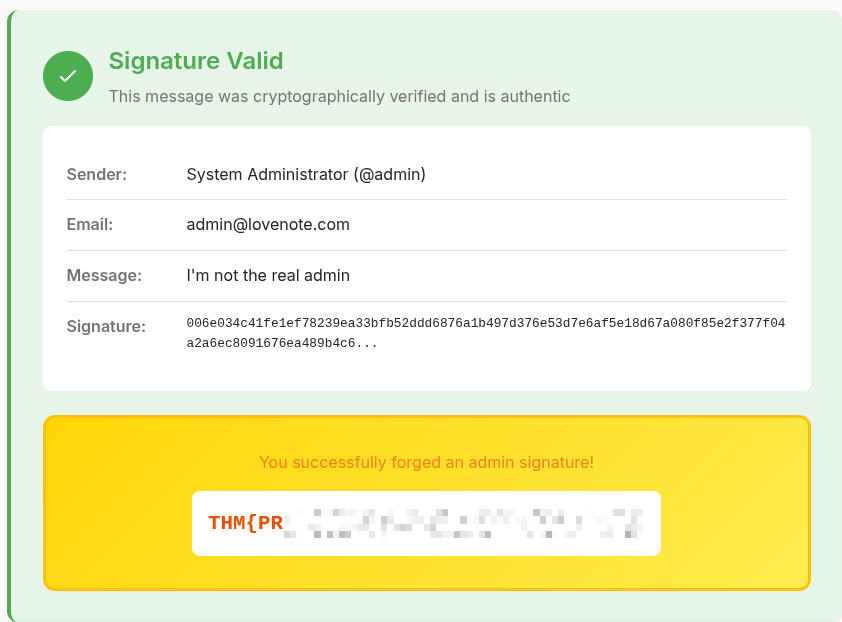
Finally we can verify the message signature from the verify section and get the flag.